
- Visit the Publisher platform On your Phone/Tablet and on Desktop/Laptop and login.
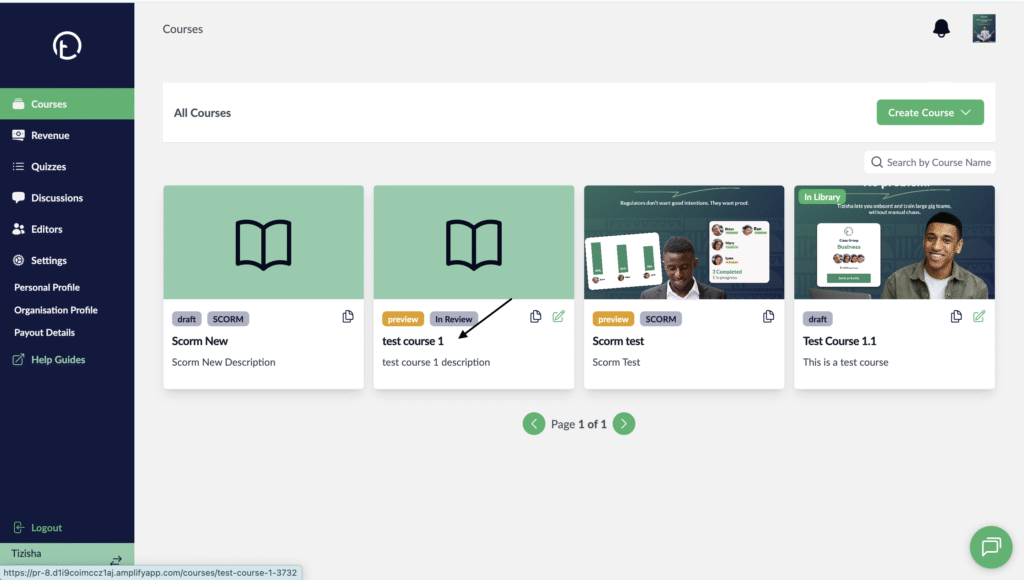
- Navigate to the courses page and select a course.
Desktop View
Mobile View

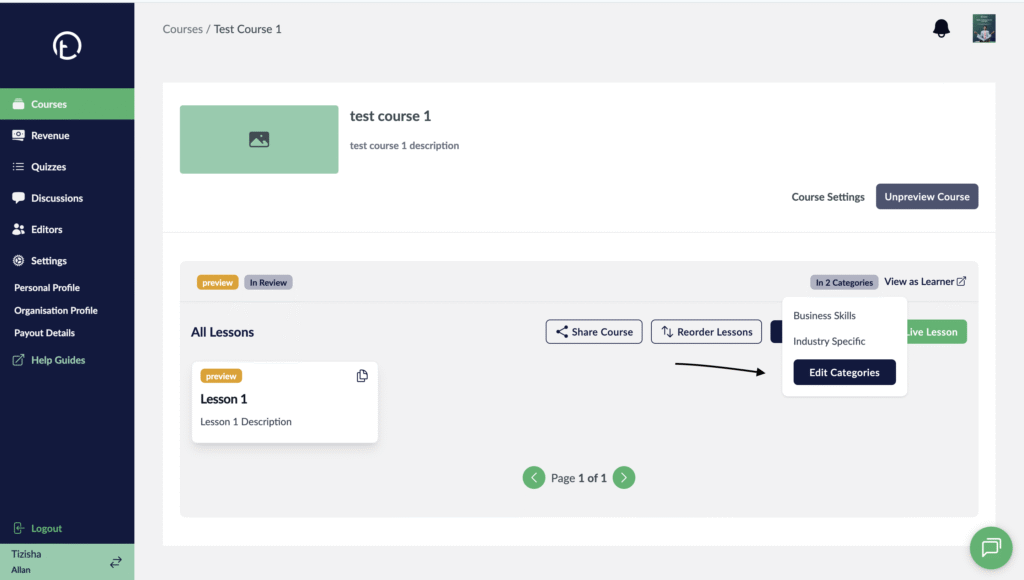
- Once your on the course details page, you will see a badge indicating whether the course exists in any categories i.e. “In X categories” on the right of your screen.
Desktop View

Mobile View

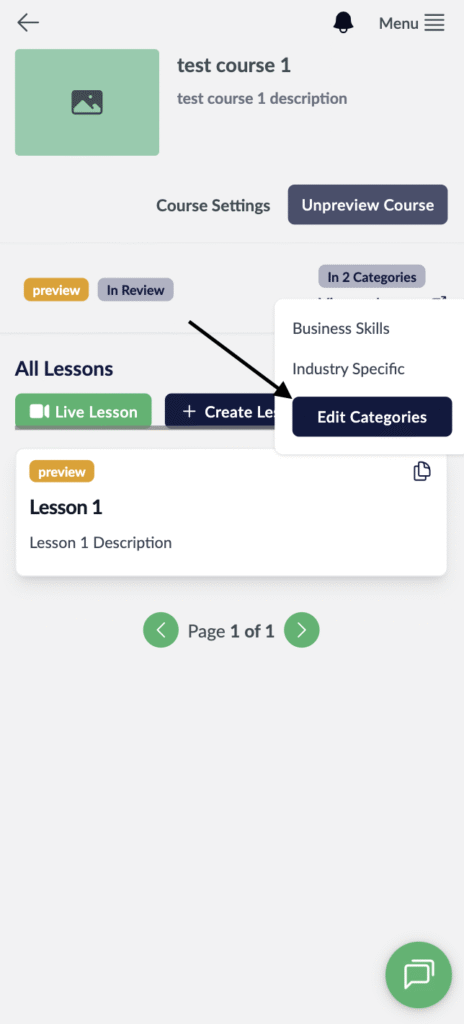
- If you wish to assign a course to a category, just click on that badge and it should display a button that allows you to edit categories.
Desktop View
Mobile View
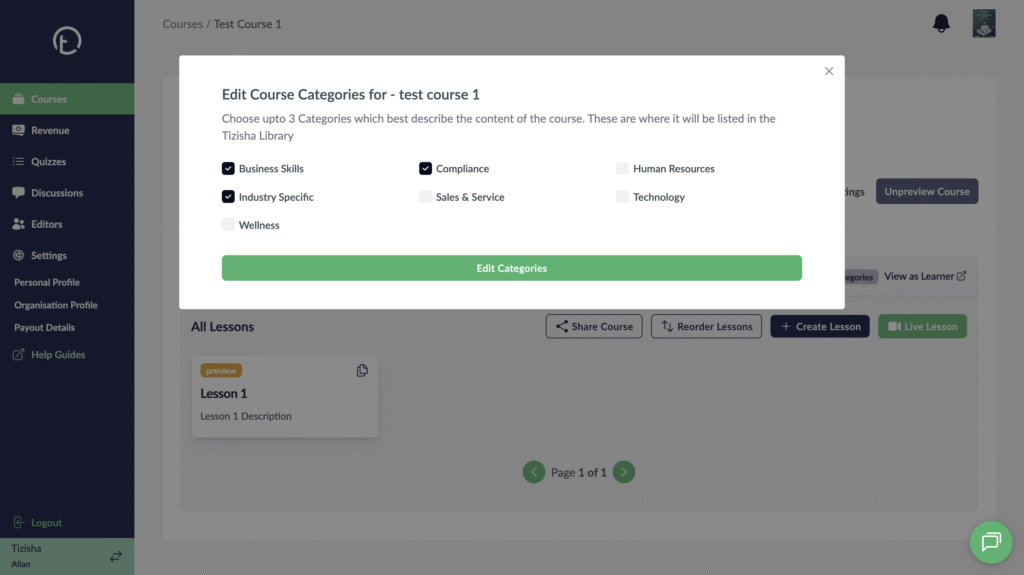
- Once you click on this badge, a list of all the categories will be displayed and you can proceed to adding your course by clicking on the checkboxes and hit edit categories.
Desktop View
Mobile View

- This will now add your course to those categories you selected and you will see the number of categories your courses belongs to on the grey Badge.
- Your course can belong to a maximum of three categories.
Desktop View

Mobile View
