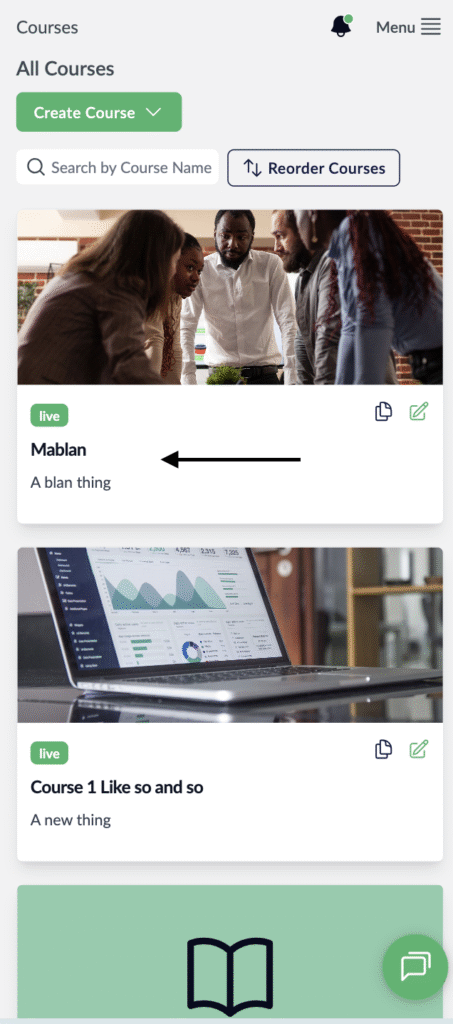
- Visit the Creator platform On your Phone/Tablet and on Desktop/Laptop and login.
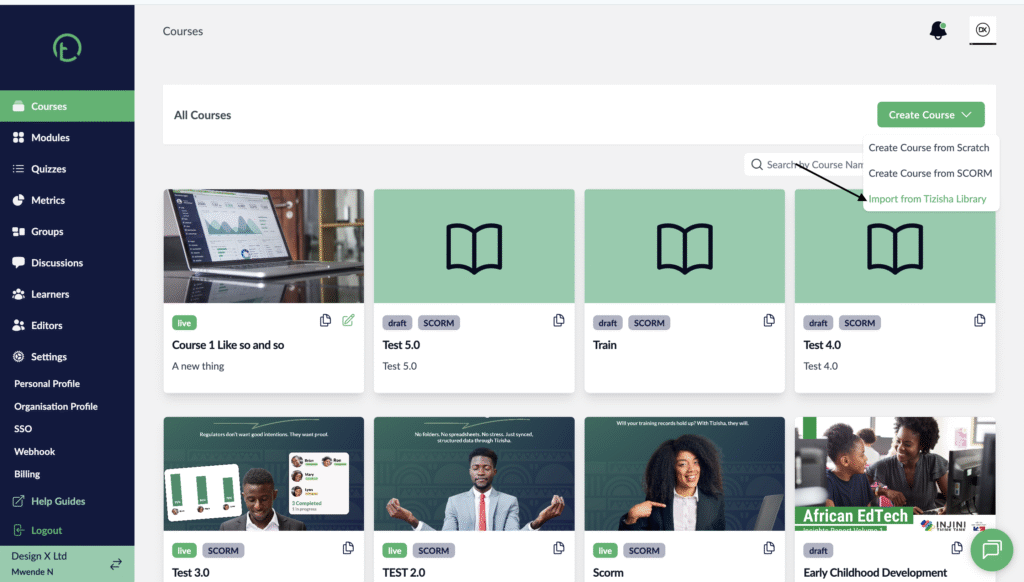
- Navigate to the courses section on the sidebar.
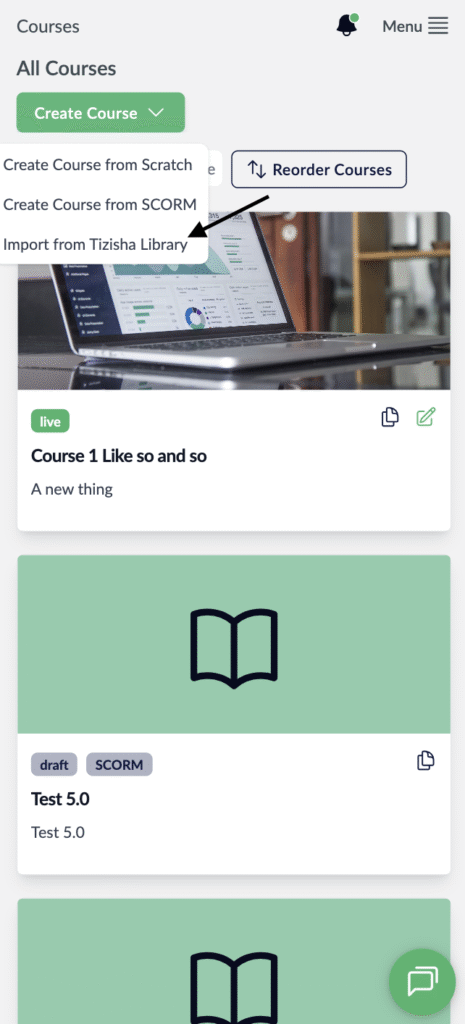
- On the far right of your screen, you will see a “Create Course” dropdown button.
- Click on it and choose “Import from Tizisha Library”
Desktop View
Mobile View
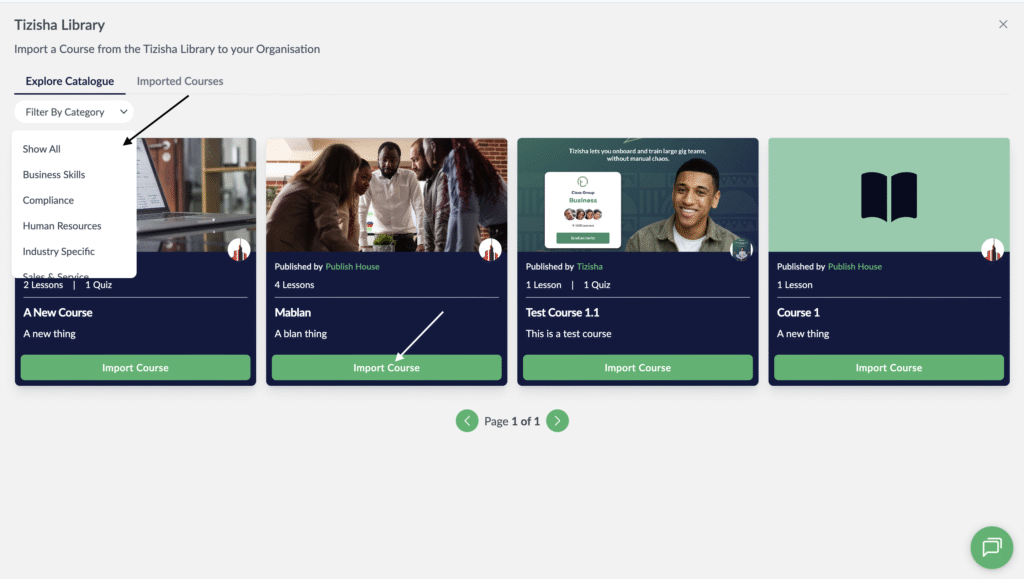
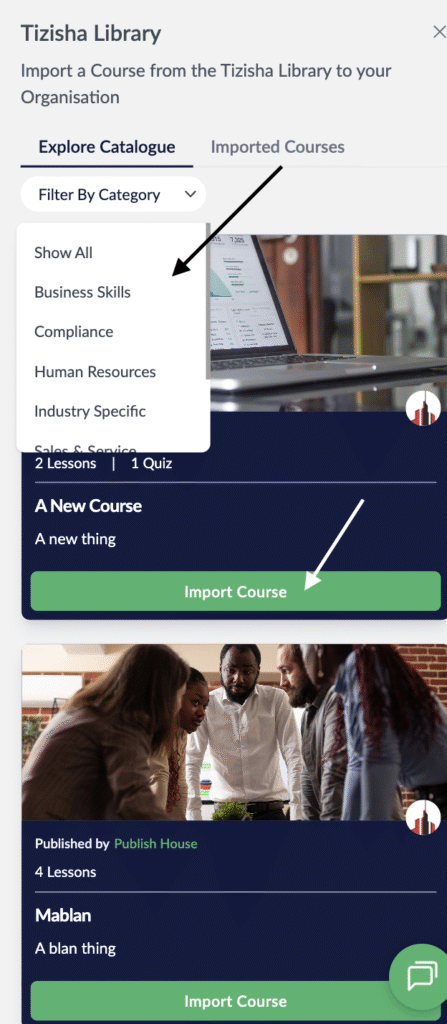
- You will see all the available courses in the published to the library. To add a course just hit on the “Import Course” button.
- You will additionally see a dropdown for the categories which should help you filter out courses per different categories.
Desktop View
Mobile View
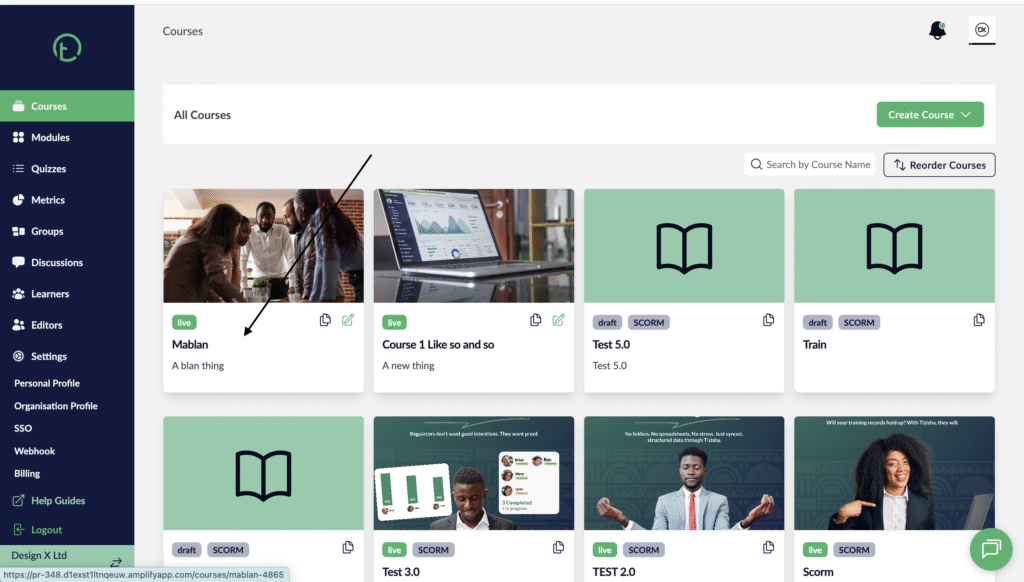
- Once you Import your course, you will notice it gets added to your list of courses.
- The courses from library are in published state by default once you import them.
Desktop View
Mobile View