- Visit the Publisher platform On your Phone/Tablet and on Desktop/Laptop and login.
- Navigate to the quiz section on the sidebar.
- On the far right of your screen, click on the create quiz button.
Desktop View

Mobile View

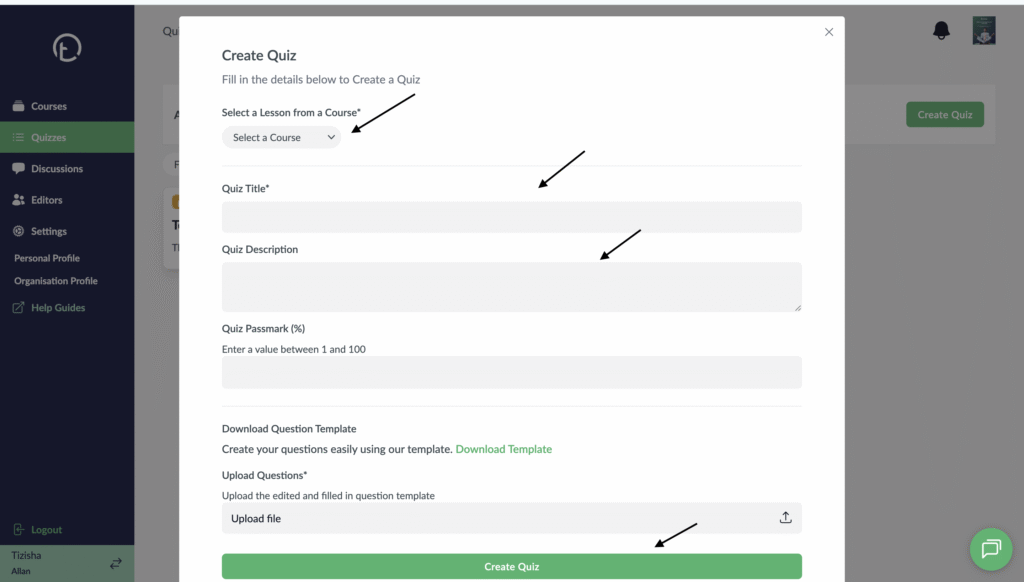
- A pop up will show up. You will need to filter the course and lesson you want to create a quiz for.
- Then fill in all the required fields.
- Proceed to download the template to start adding your quizzes.
Desktop View
Mobile View

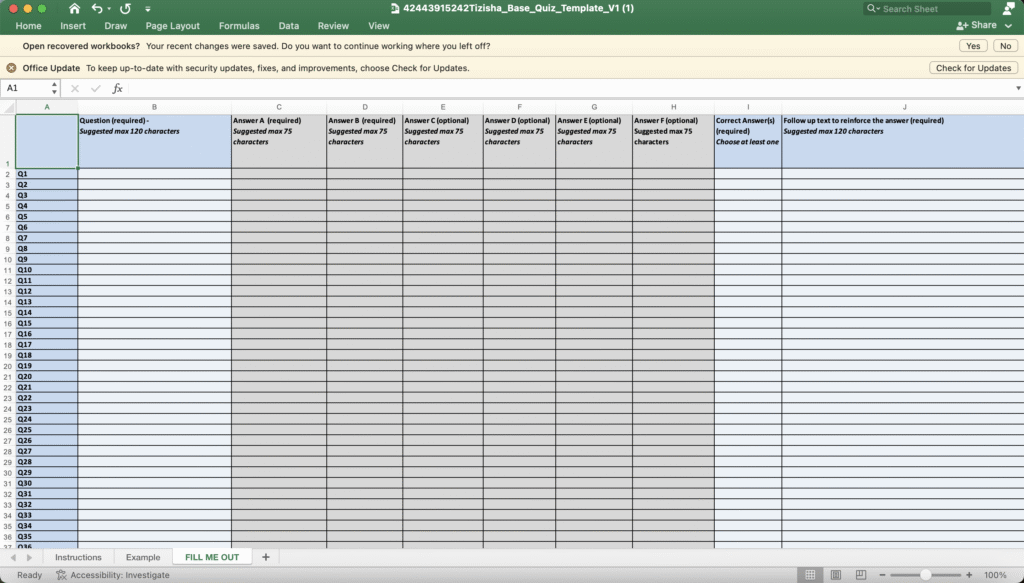
- This is how the template looks like. It has three tabs. Navigate to the “FILL ME OUT” section to add your quizzes.
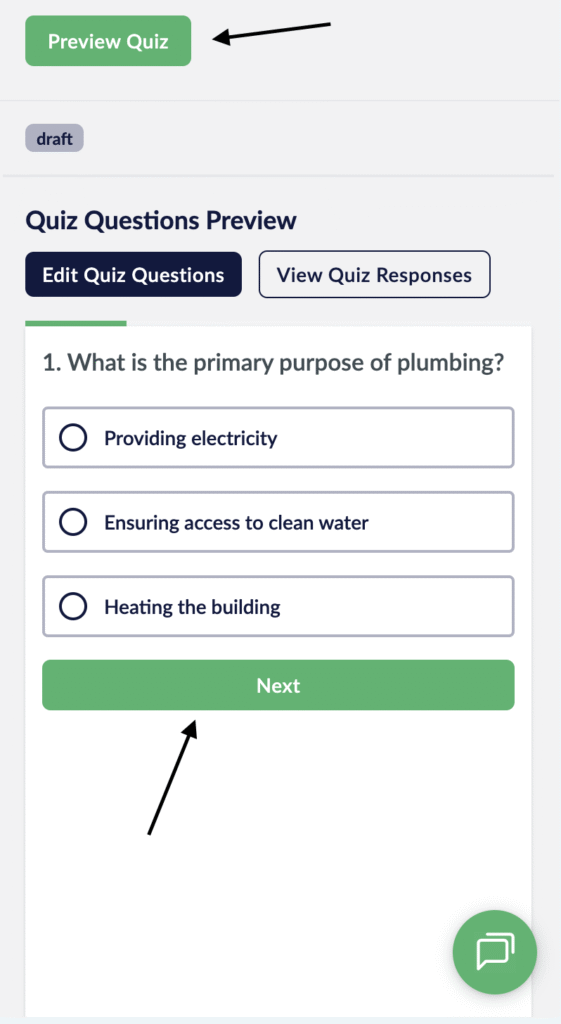
- Once you hit create quiz, you will get a preview of how your quizzes will look on the learner app. You can click on next to navigate to the next set of question.
- Hit the “Preview Quiz” button on the top right of your screen to make the quiz live.
Desktop View

Mobile View