
- Visit the Creator platform On your Phone/Tablet and on Desktop/Laptop and login.
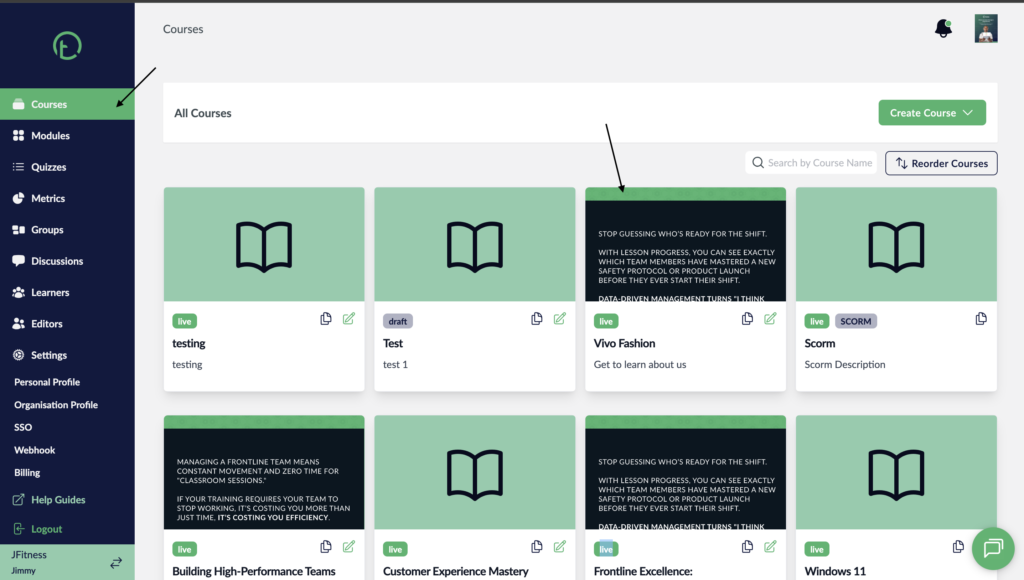
- On the left sidebar, click on courses and select a course.
Desktop View
Mobile View

- Click on on the course settings link on the right side of your screen.
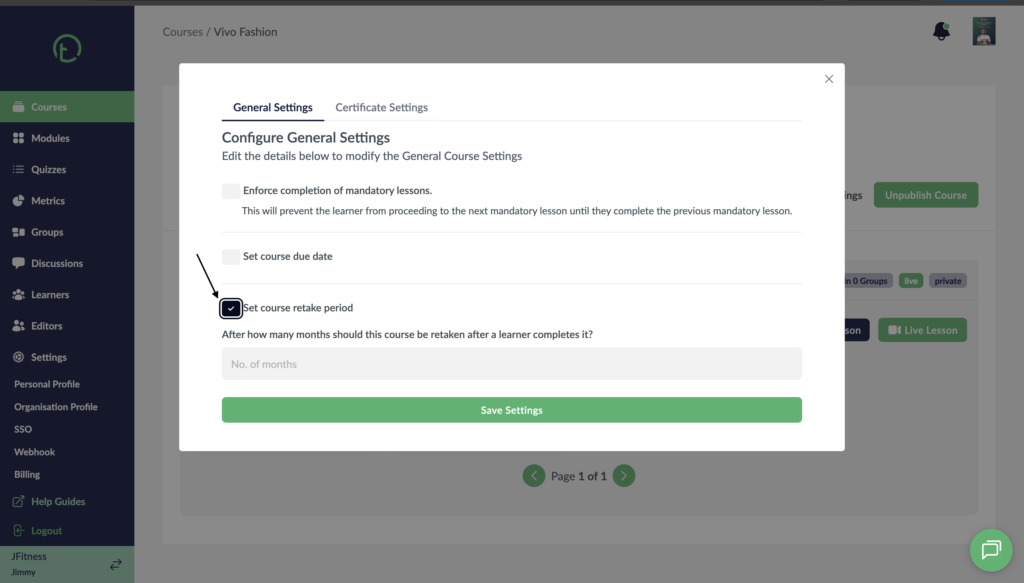
- You will see some controls there, find the “Set course retake period” and click on the radio button.
- After clicking on the radio button you will get an additional control where you can now add the number of months the course should be retaken after.
Desktop View
Mobile View
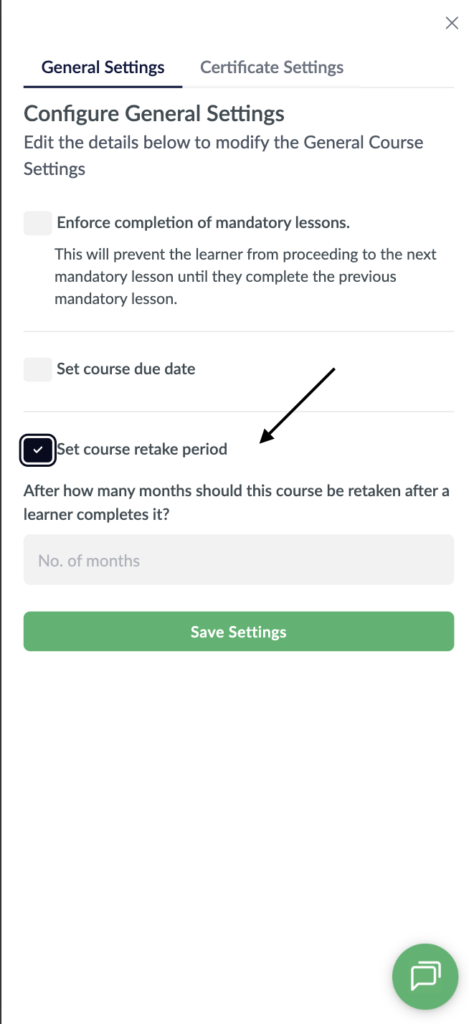
- Add the number of months and hit “Save settings”.
- You can always make changes to this setting if you need to by repeating the process again.