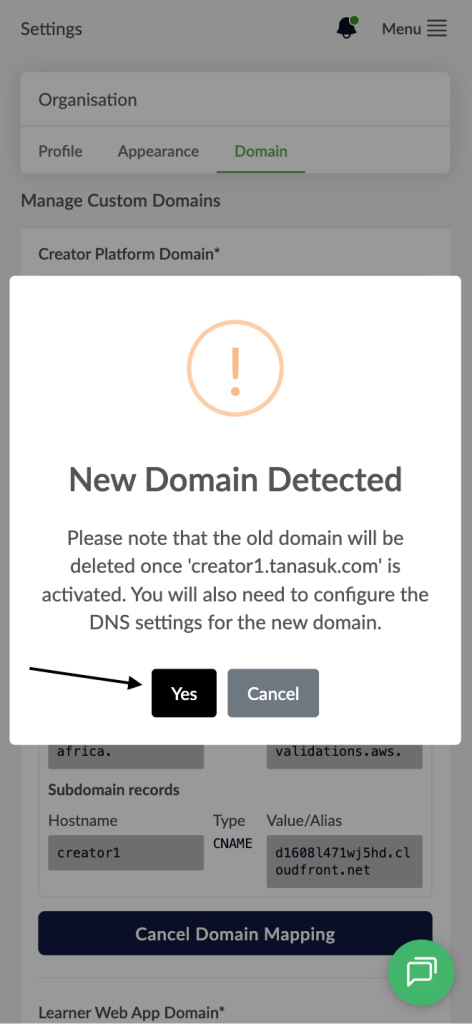
- Visit the Creator platform On your Phone/Tablet and on Desktop/Laptop and login.
- On the sidebar, navigate to the Organizations section under settings.
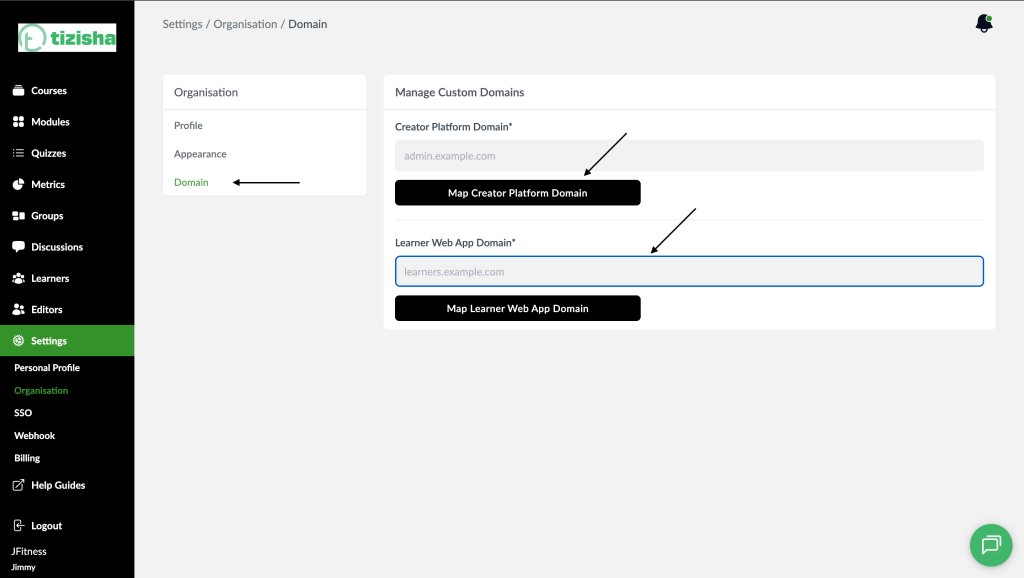
- By default you will notice you will be redirected to the “Profile” tab. Switch to “Domain”
- You should see to configuration forms that will allow for configuration of the Creator Platform Domain and Learner Web App Domain. The process for configuration is similar for both.
Desktop View
Mobile View
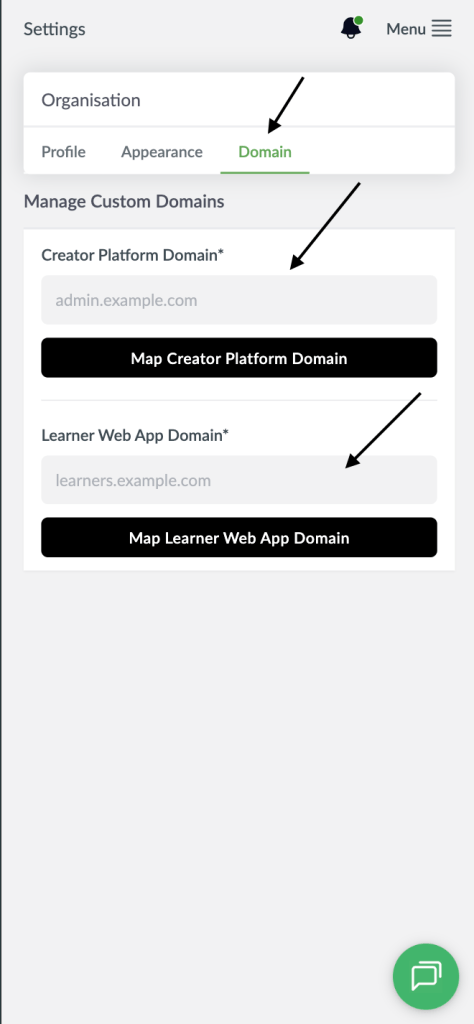
- Enter the custom domain you’d like to map. This will have to be unique to the Tizisha platform and will throw an error if a similar domain is found on the platform.
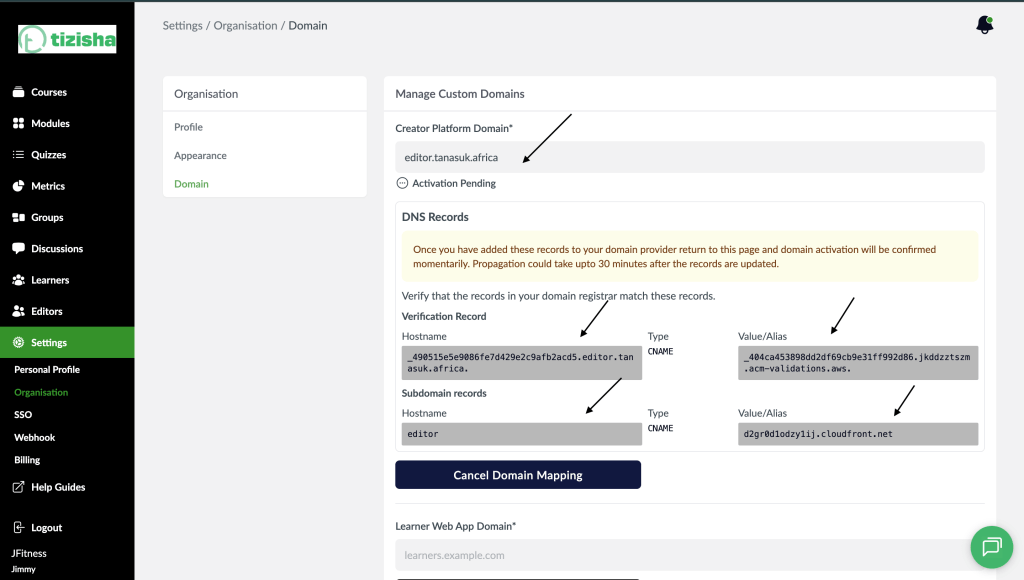
- Once you’ve entered a valid domain name. Click the “Map Creator Platform Domain” button if you were mapping a domain for the creator platform, or Click the “Map Learner Web App Domain” button if you were mapping a domain for the learner web app.
Desktop View
Mobile View
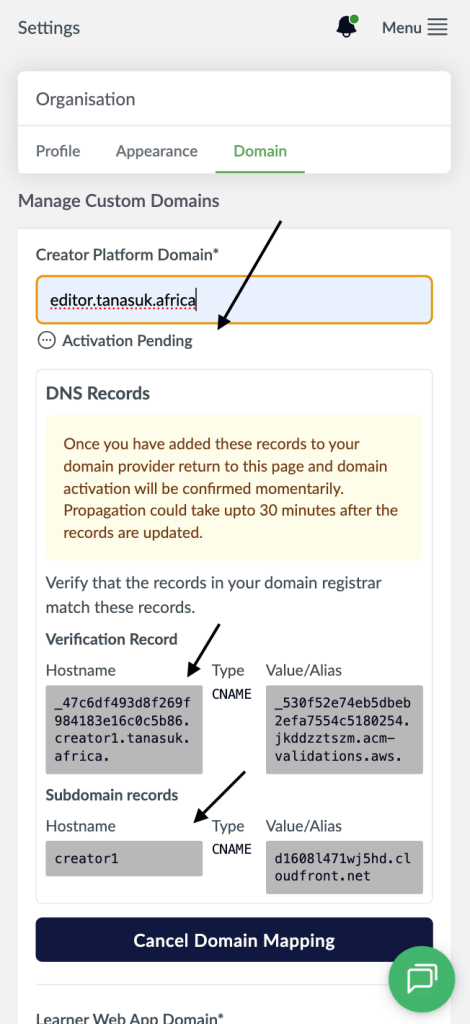
- DNS Records for you to enter in at your domain registrar will be fetched and displayed. These will be CNAME records for verification and for the subdomain. At this point the Domain Activation status will read as “Activation Pending”.
- Once you enter these records on your Domain Registrar, return to the domain configuration page for the settings to be picked up. It’s worth mentioning that this process could take some moments because of DNS setting propagation on the domain registrars side.
- While performing the mapping, you have the option to “Cancel Domain Mapping” at any time before the Activation status turns to “Domain Active”.
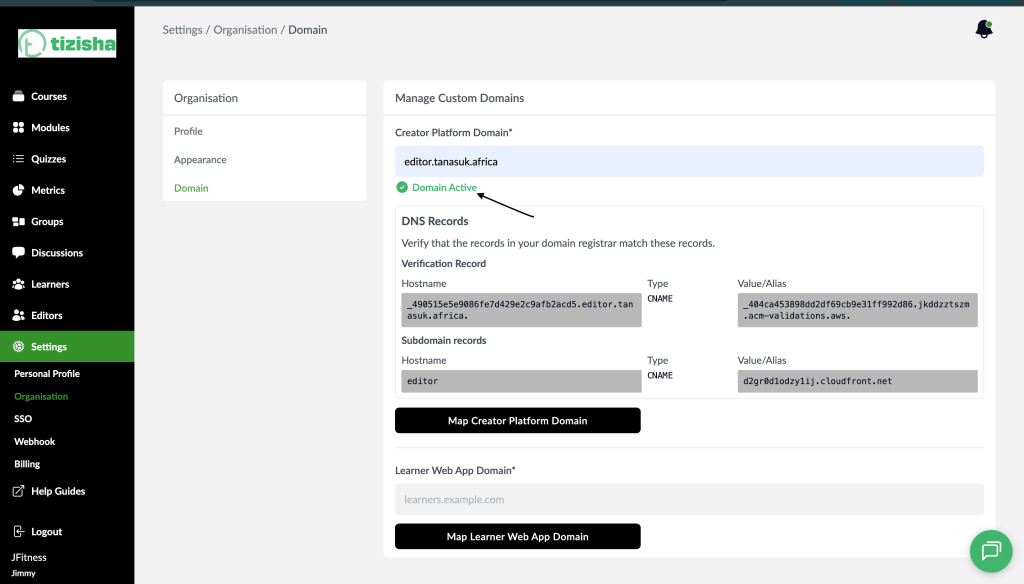
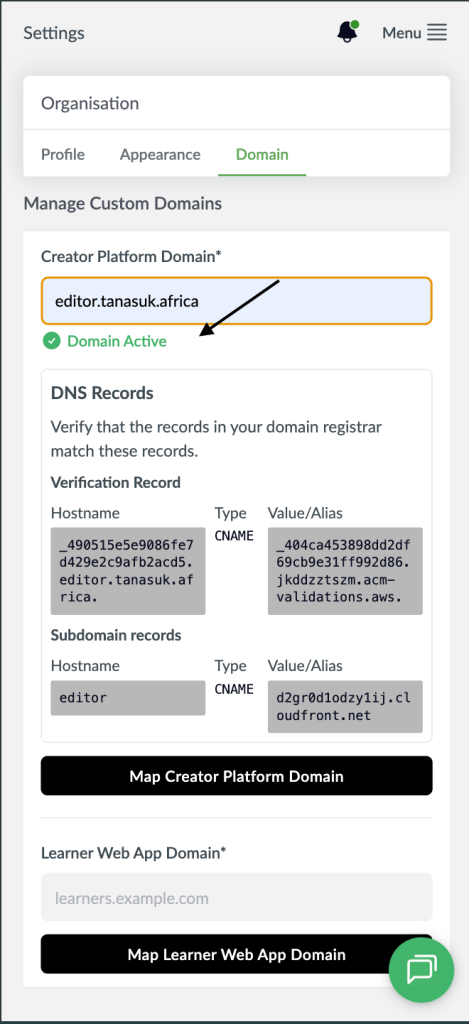
- Once the domain settings are detected, the mapping will be made on Tizisha’s end and the domain activation status will turn to “Domain Active”.
Desktop View
Mobile View
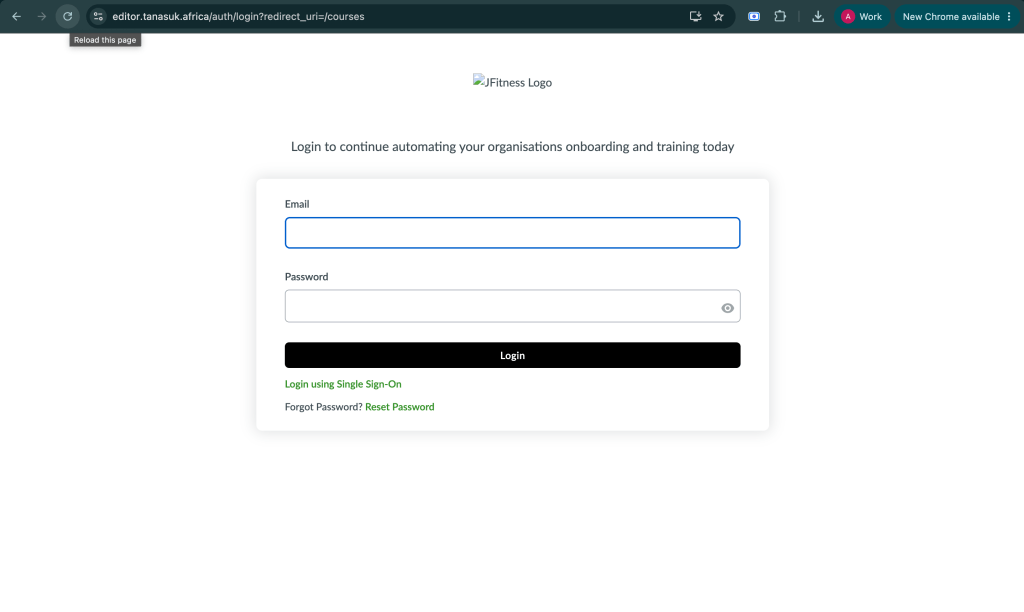
- Navigate to the custom domain you added on a browser and it should map to the appropriate platform.
Desktop View
Mobile View

- Note: If you choose to map a new domain for a given platform, you can enter the new domain in place of the old one on the appropriate configuration form, and click on the “Map…Domain” button. You’ll be informed that this action will delete your previous domain and use the new one instead. Remember to setup redirect from the domain you’re replacing to the new one on your end to avoid degrading the user experience.
Desktop View

Mobile View