- Visit the Creator platform On your Phone/Tablet and on Desktop/Laptop and Login
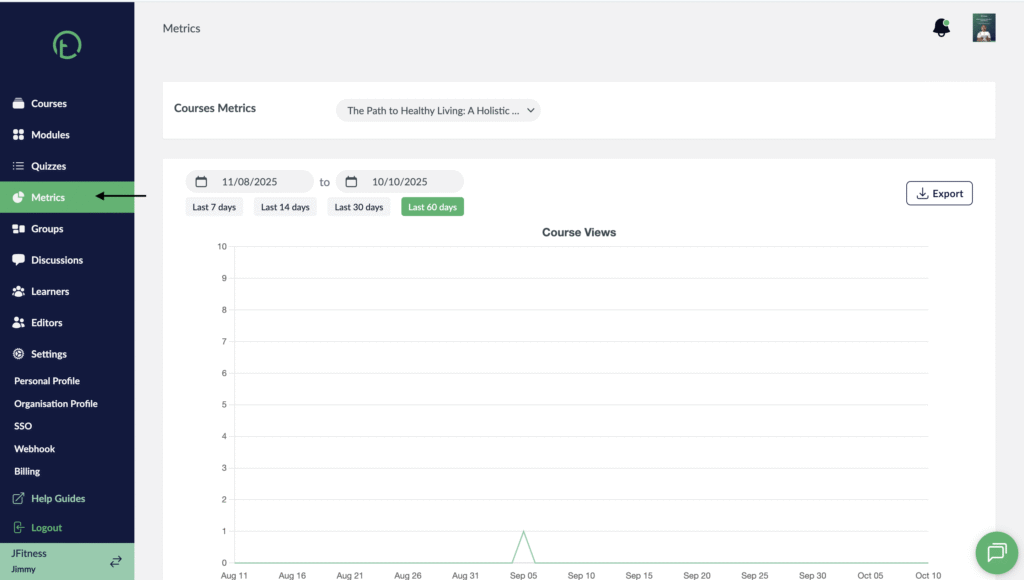
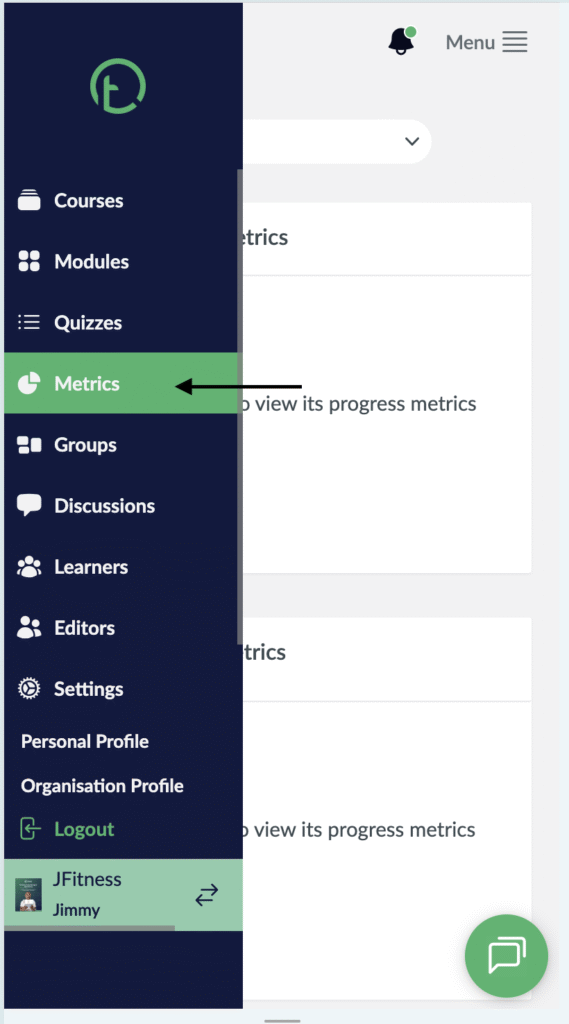
- Navigate to the metrics section on the side bar.
Desktop View
Mobile View
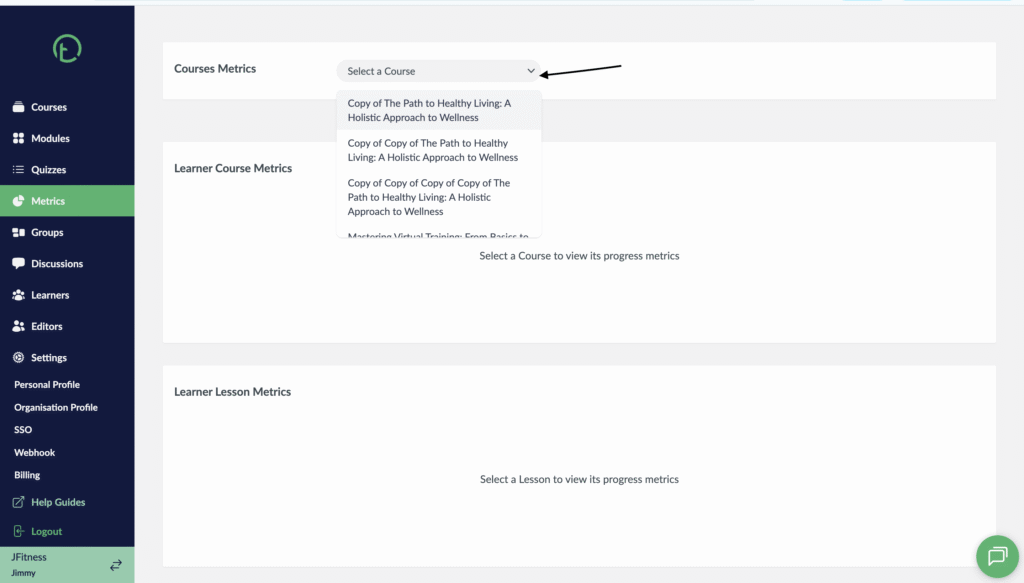
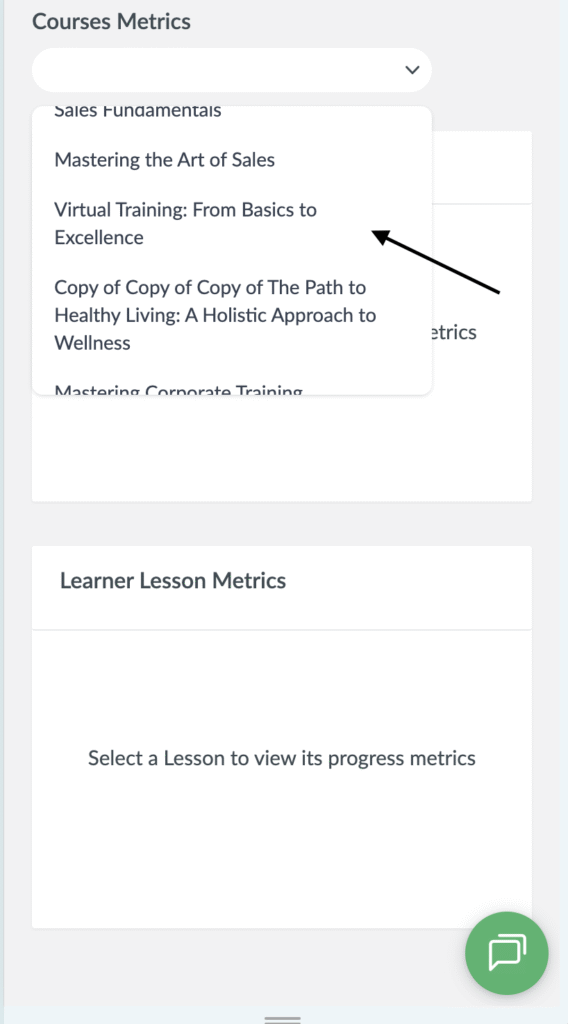
- Select the Course you want to check the learner lesson metric for under the course metrics section.
Desktop View
Mobile View
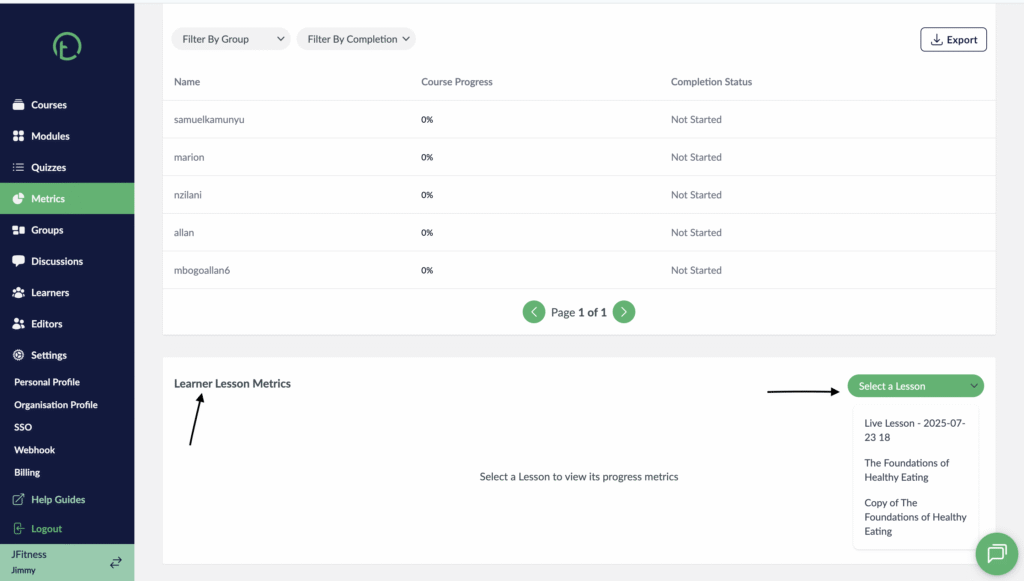
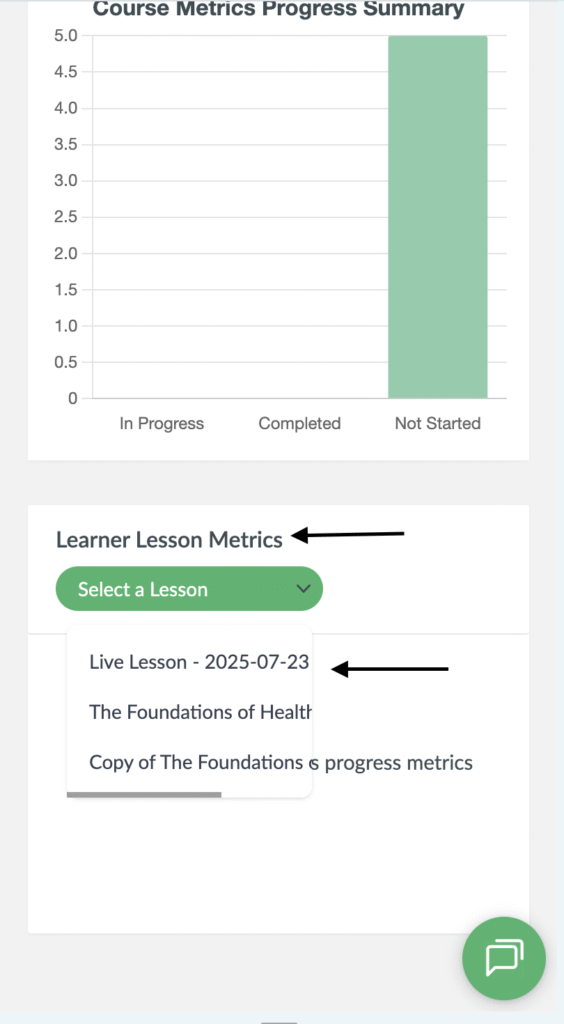
- Scroll down to the bottom of your screen you will see the learner lesson metrics section.
- On the right side of your screen you will see a dropdown.
- Click on it and all the lessons within that course will be displayed. Select one of the lessons.
Desktop View
Mobile View
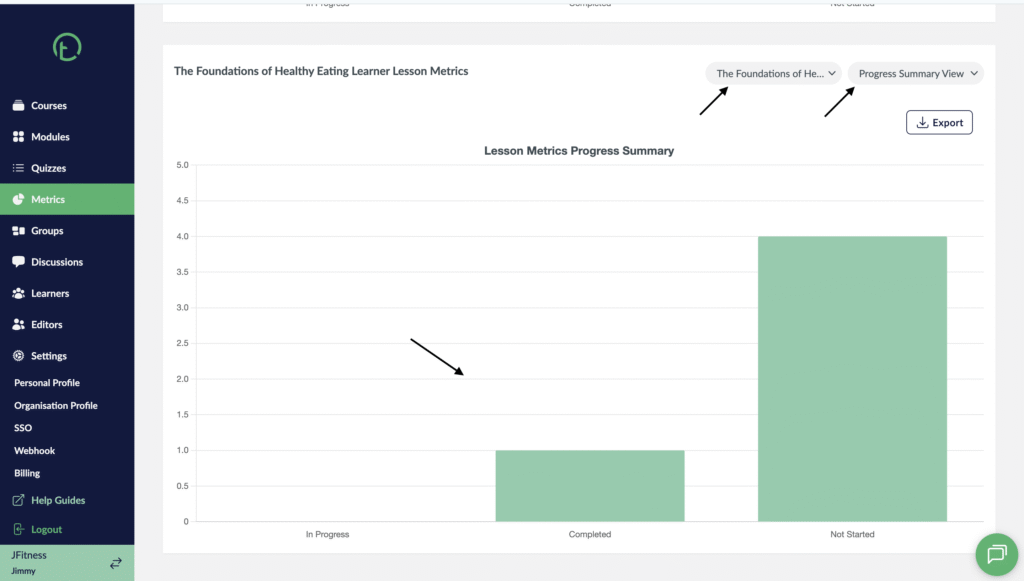
- After selecting the lesson, you will see the progress summary view which is the default view.
- You will see a bar graph for that lesson showing the learners different completion status.
Desktop View
Mobile View

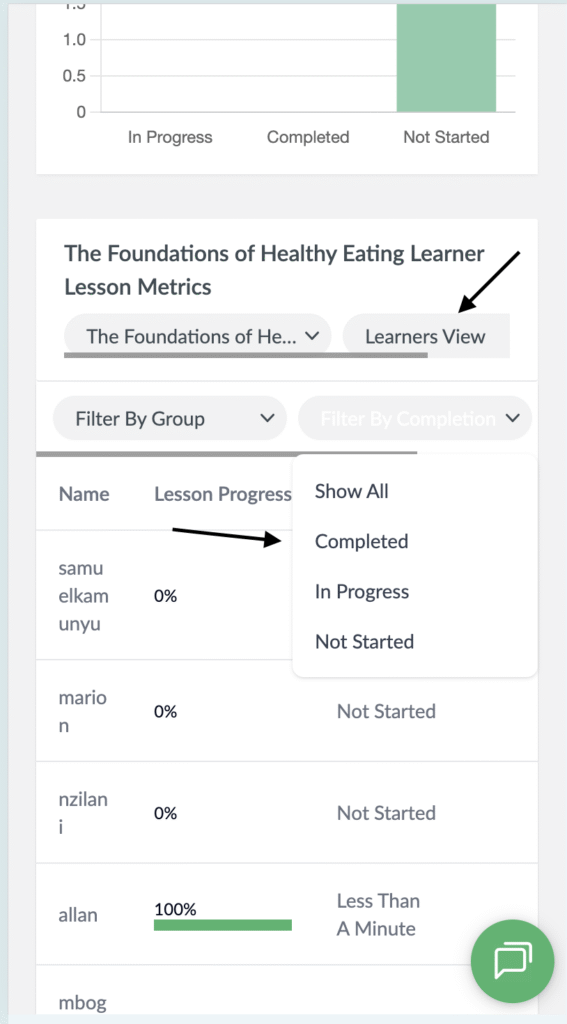
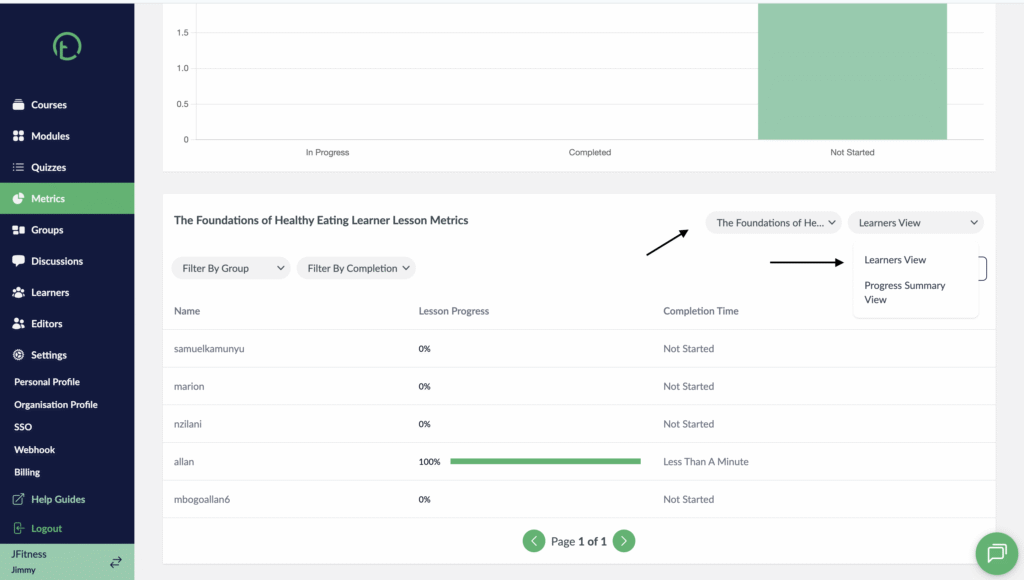
- You can also see the learner view. Click on the dropdown and select Learner View.
- You will see a list of all the learners: Their name, lesson progress and completion time.
Desktop View
Mobile View

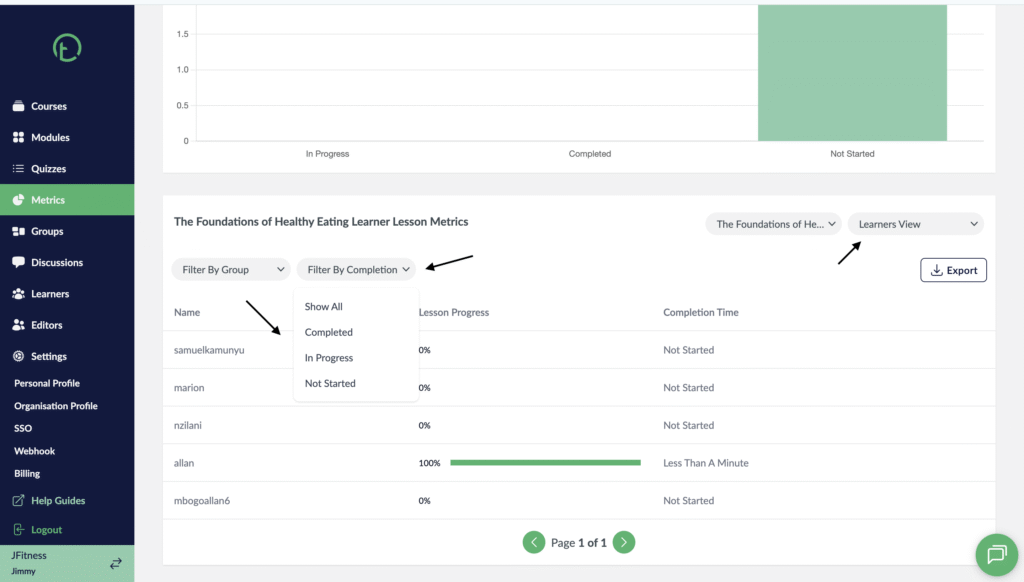
- You can also filter and view the learner lesson metrics by groups or filter by completion.
- If you filter by completion, you will see a dropdown that has: Completed, In progress, not started and show all to display all the learners.
Desktop View
Mobile View