- Visit the Creator platform On your Phone/Tablet and on Desktop/Laptop and Login.
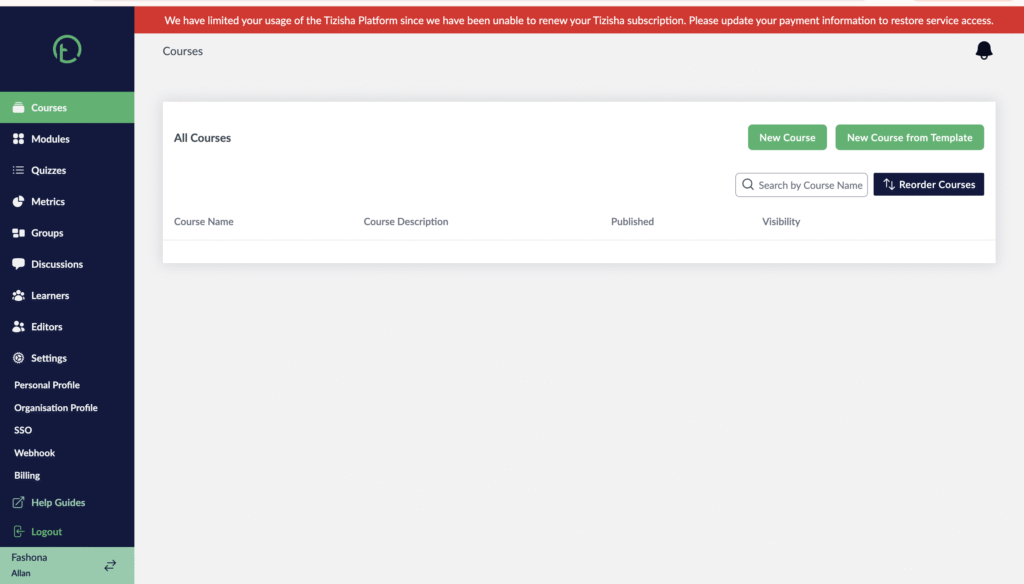
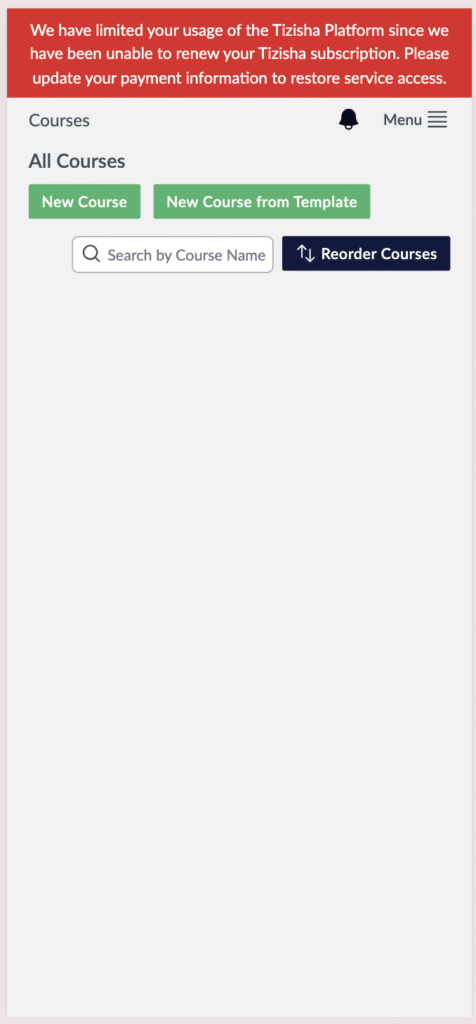
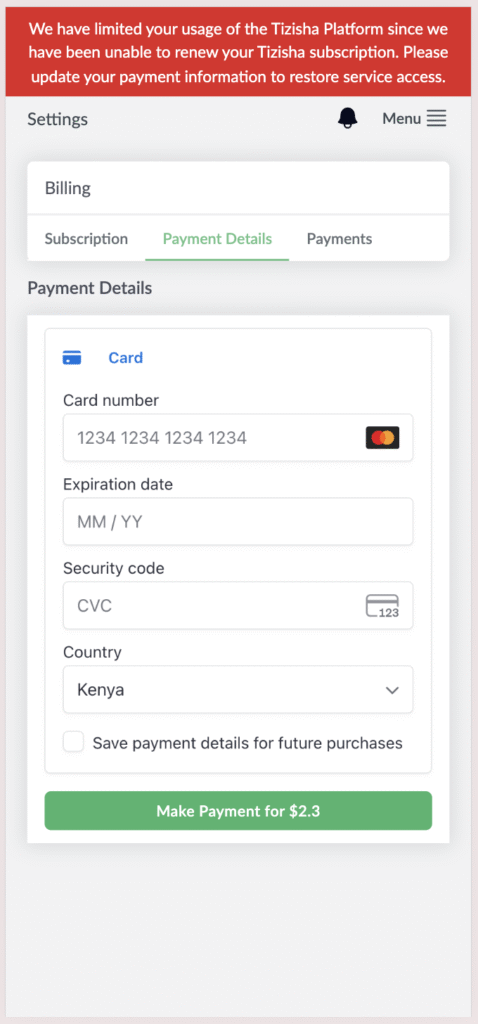
- You will see a red banner at the top of your screen indicating that you should renew your Tizisha Subscription.
Desktop View
Mobile View
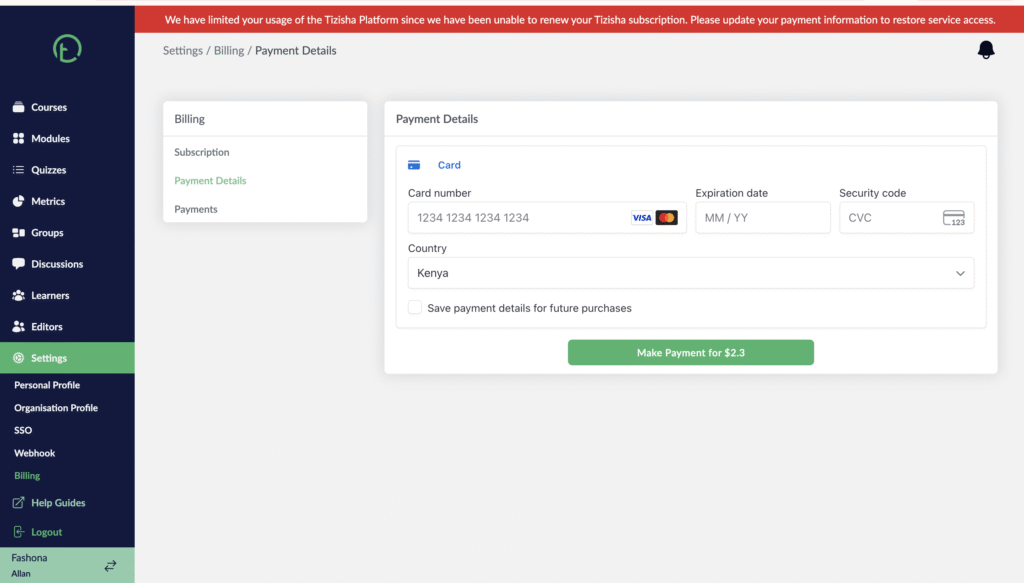
- Click on the red Banner.
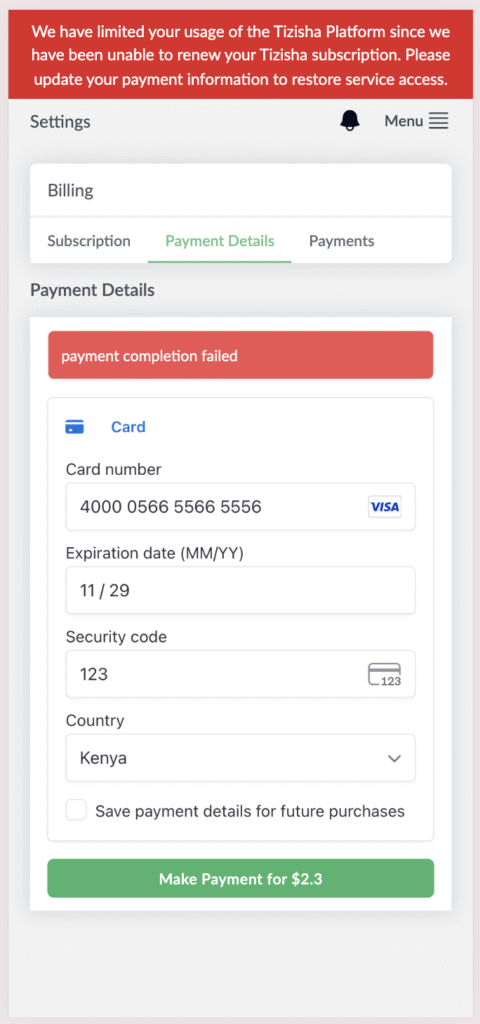
- You will see a payment details section where you can run your card by adding you card details.
- The total amount due will by highlighted on the green button written “Make Payment for $xx”.
- After filling your card details, click on the button to now make the payment.
- You can click on the checkbox that reads “Save payment details for future purchases” button to save your card details for future payments.
Desktop View.
Mobile View.
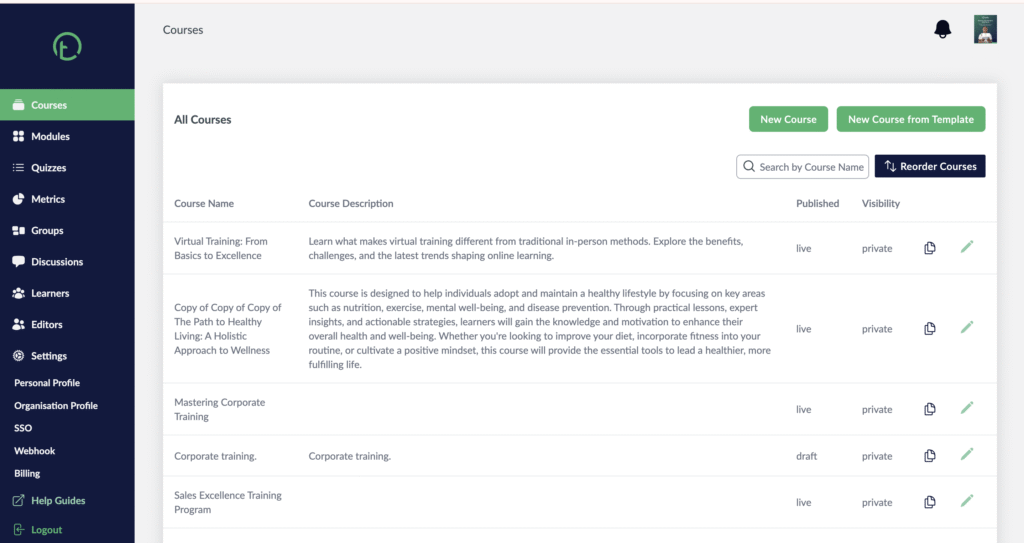
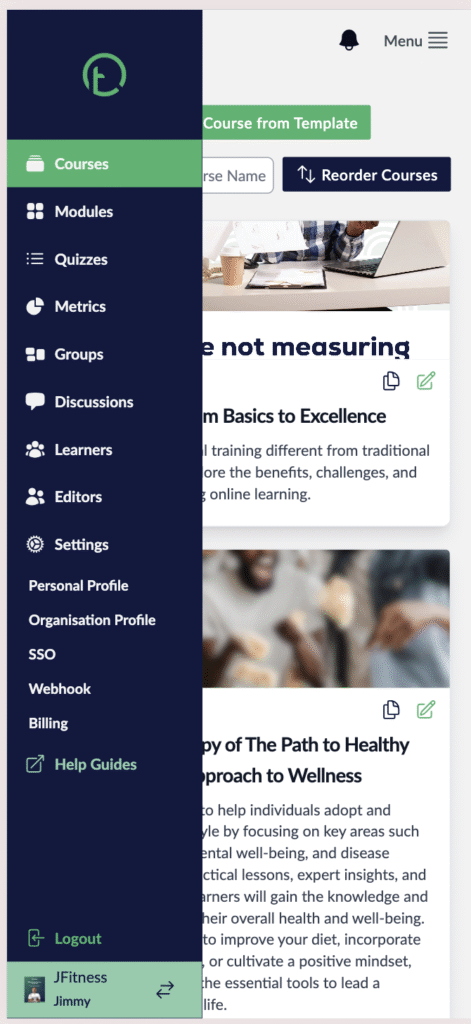
- After successful payment, you will experience a page reload and the red banner will disappear. You will now have full access to the features on the sidebar.
- You will also get a confirmation email that your payment has been processed.
Desktop View
Mobile View
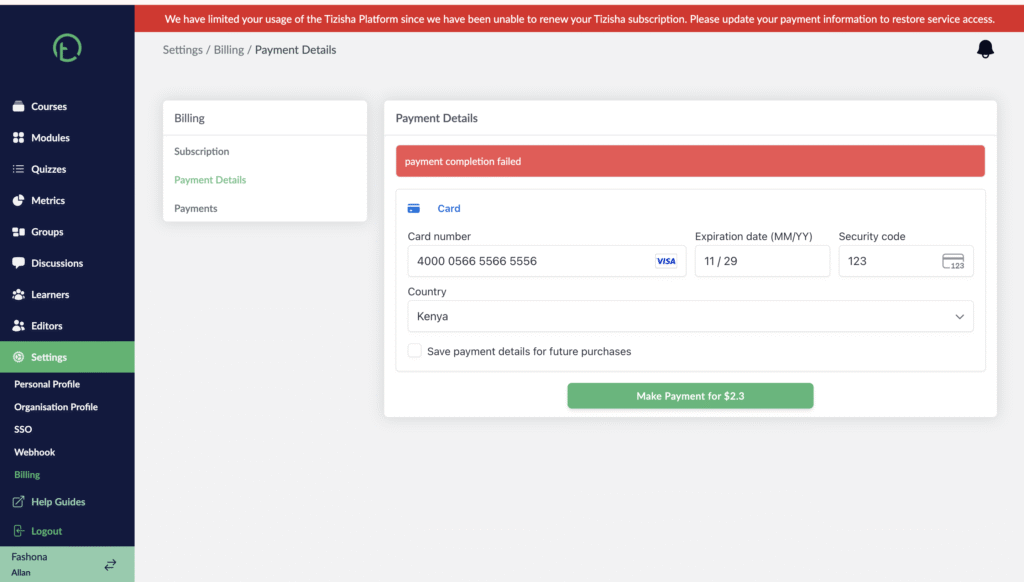
- If a payment does not go through due to maybe invalid card details or the amount being billed is not in adding up to the amount in your card, you will also get an error message in red stating that the payment completion has failed.
Desktop View
Mobile View