- Visit the Publisher platform On your Phone/Tablet and on Desktop/Laptop and login.
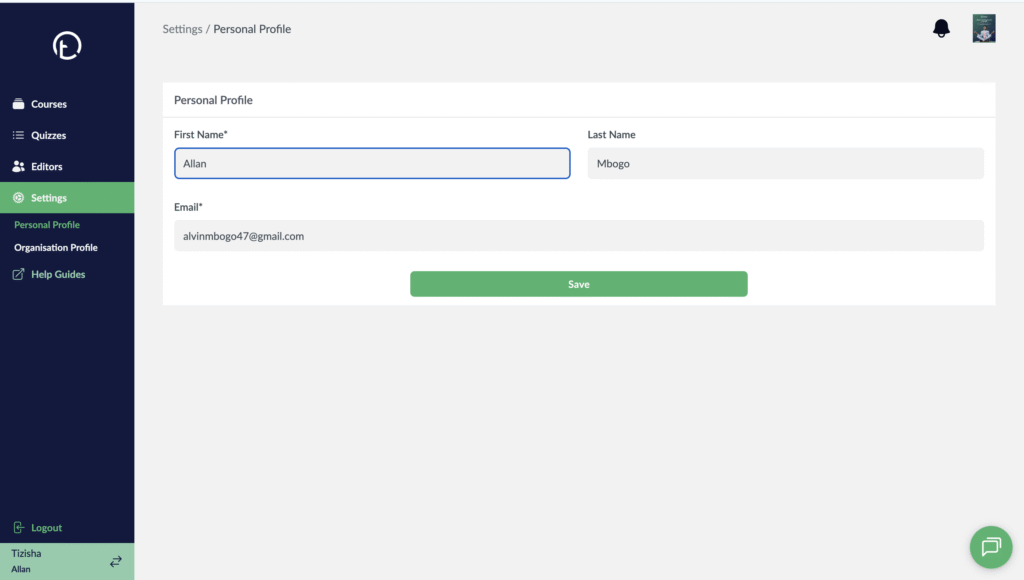
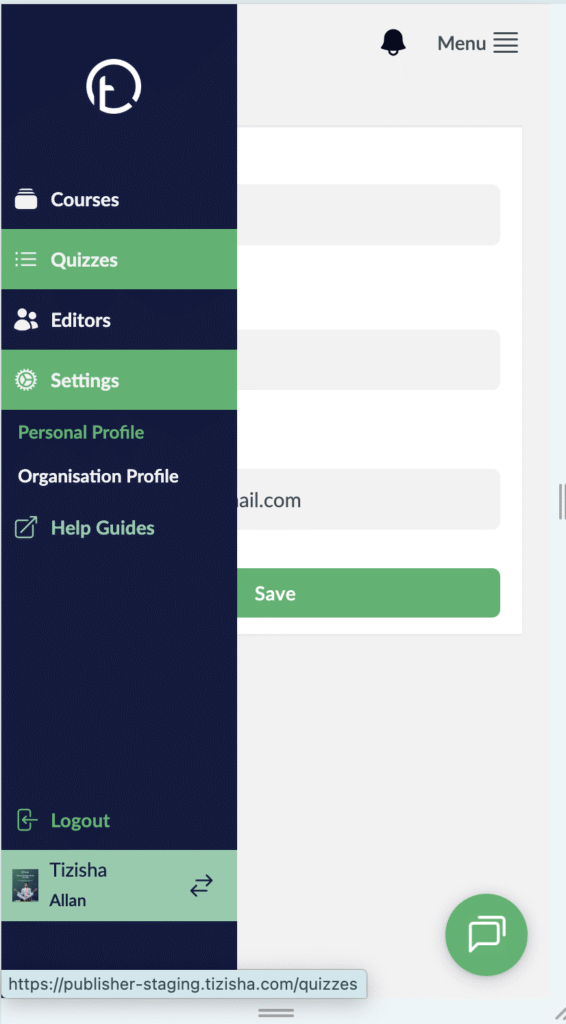
- In the sidebar navigate to the settings section. You will be see the personal profile page.
Desktop View
Mobile View
- You can now proceed and edit your first name, last name and email.
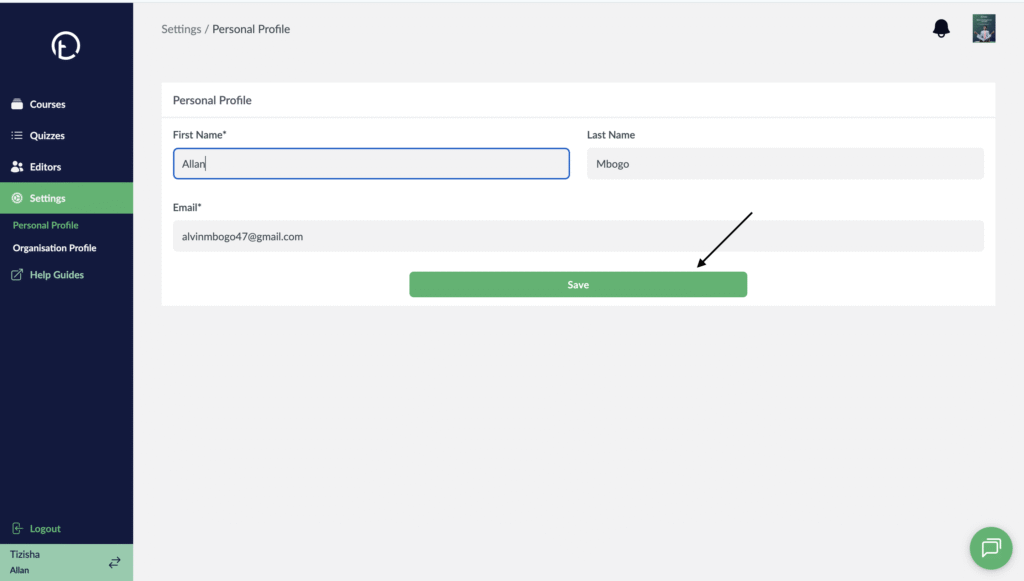
- Once you edit the fields proceed and hit save and all your changes will reflect.
Desktop View
Mobile View

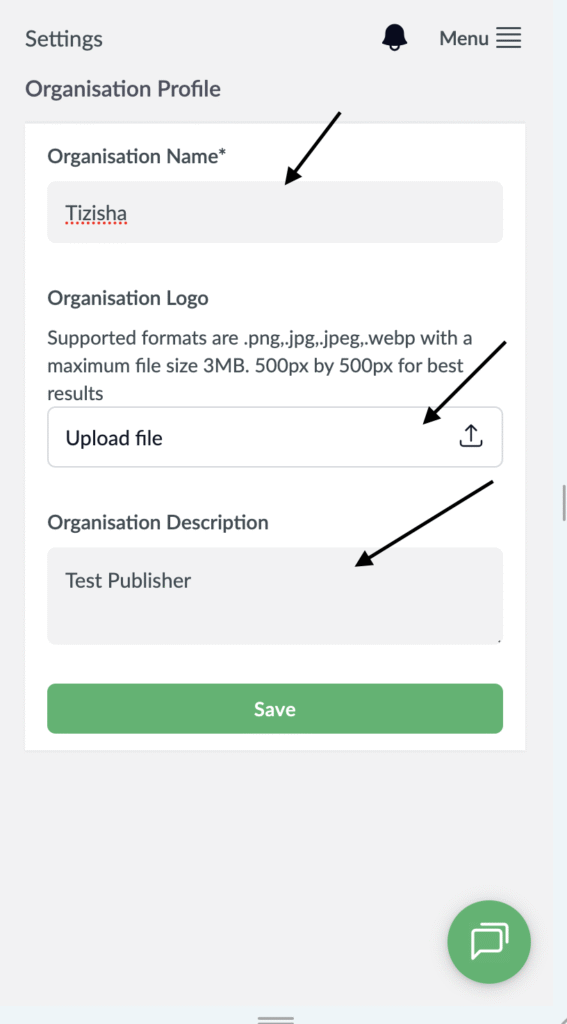
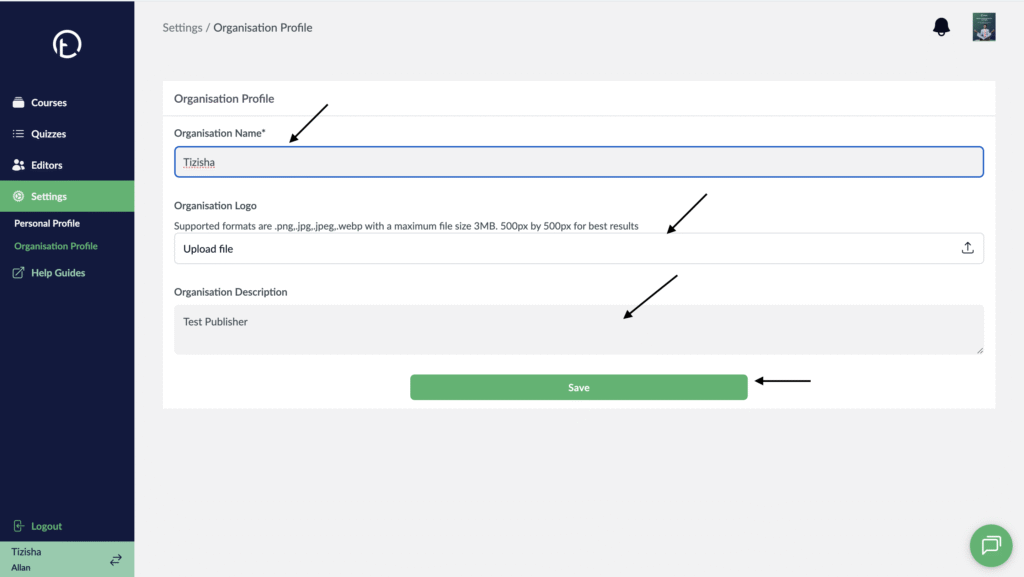
- To edit your Organization profile, navigate to the “Organization profile” section on the sidebar.
- You will see fields to edit things like “Organization name”, Organization Logo” and “Organization description”
- After updating this fields click on save.
- Your changes will now reflect on the fields you updated.
Desktop View
Mobile View