
- Visit the Creator platform On your Phone/Tablet and on Desktop/Laptop and login.
- On the courses page, select a Course.
Desktop View
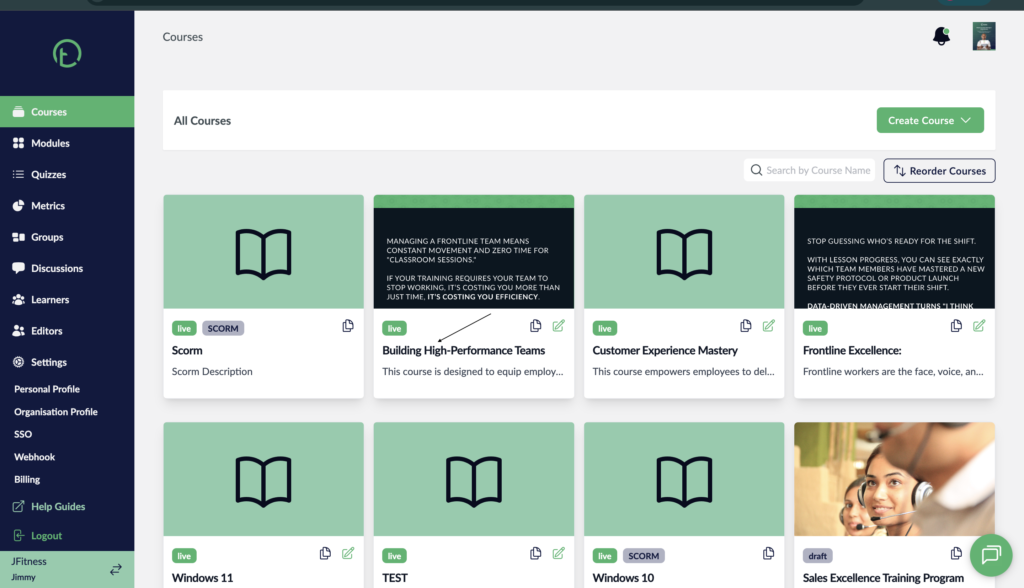
Mobile View

- Click on the Course settings link on the on the right side of your screen, just next to the Publish course button.
Desktop View.

Mobile View

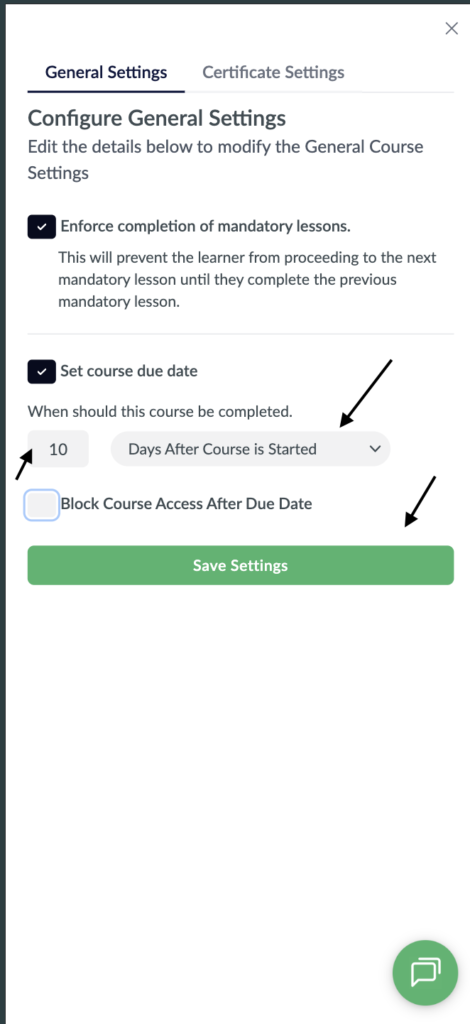
- You will see a pop up with some controls and checkboxes on it.
- Look for the one labelled “Set Course Due Date” and click on the checkbox next to it.
- The checkbox will turn Black signifying its been activated.
- You will now see more controls associated with this setting. On the dropdown it will be set to “By a certain Date” by default.
- Click on the dropdown to explore more options.
Desktop View

Mobile View

- Select the “Days after Course is Started” option.
- After selecting this option, you will get an additional control for the days. Enter the number of days in the input that is on the left of the dropdown.
- Then click save settings to update your changes.
Desktop View.

Mobile View
- You can modify the settings later on if need be by going through the process again.