
- Visit the Creator platform On your Phone/Tablet and on Desktop/Laptop and Login.
- Navigate to the quizzes feature on the sidebar and select a quiz that’s already been done.
Desktop View

Mobile View

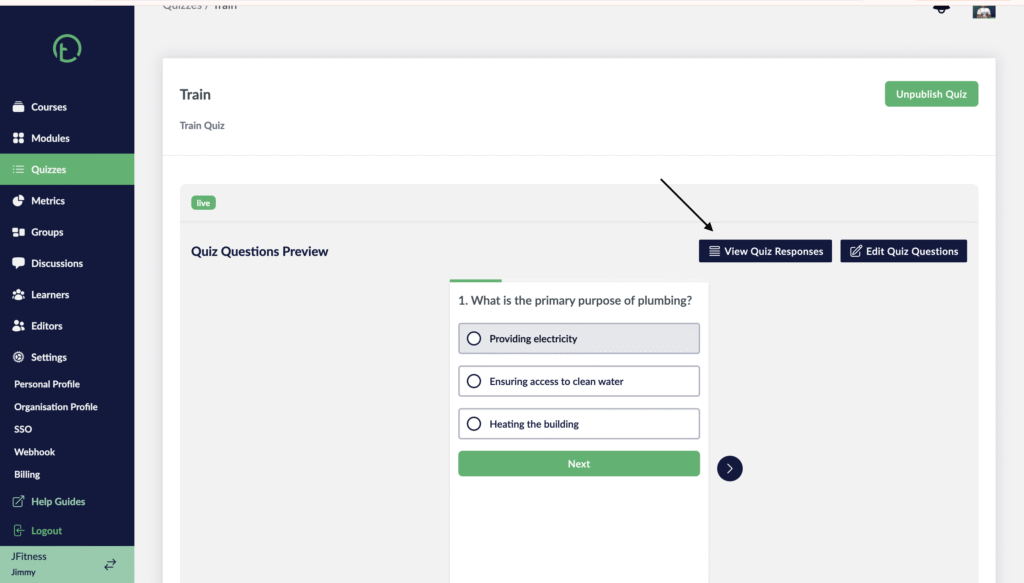
- Click on the “View Quiz Responses” button
Desktop View
Mobile View

- This will open all the quiz responses metrics.
- You will see an “Export” button on the right of your screen.
- Click on it to download the sheet document with all this data.
Desktop View

Mobile View

- A google sheet will now be downloaded to your device with all the fields organized.