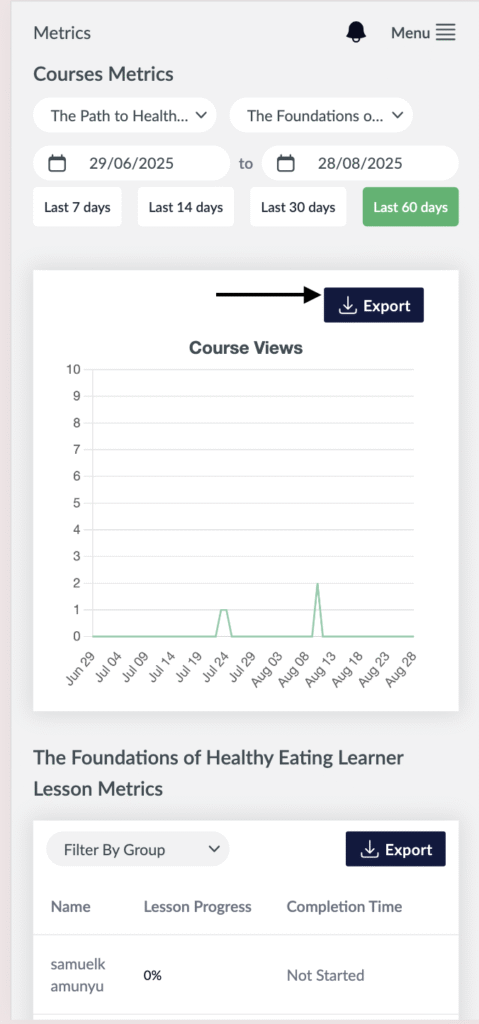
- Visit the Creator platform On your Phone/Tablet and on Desktop/Laptop and Login
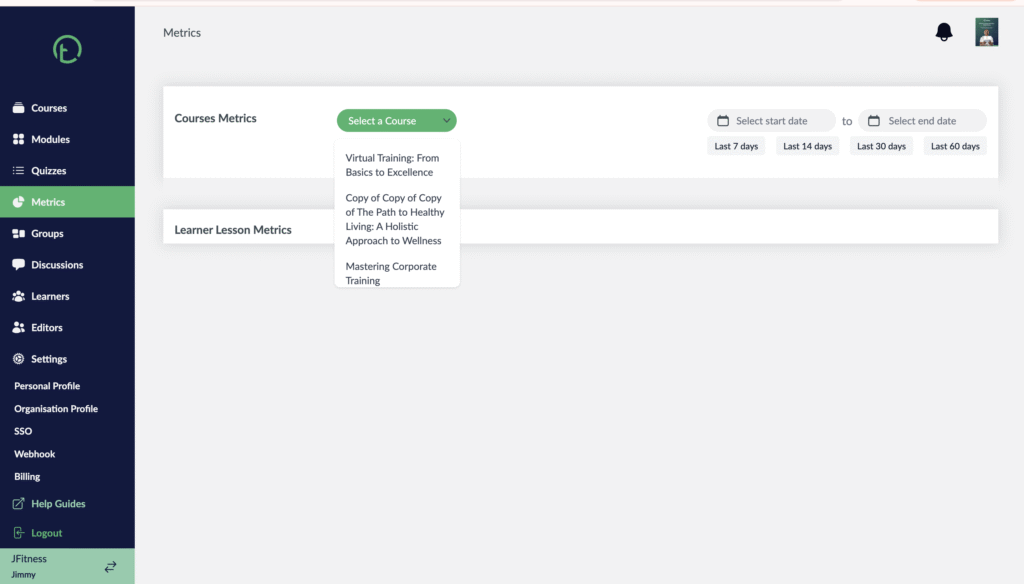
- Navigate to the metrics section on the side bar.
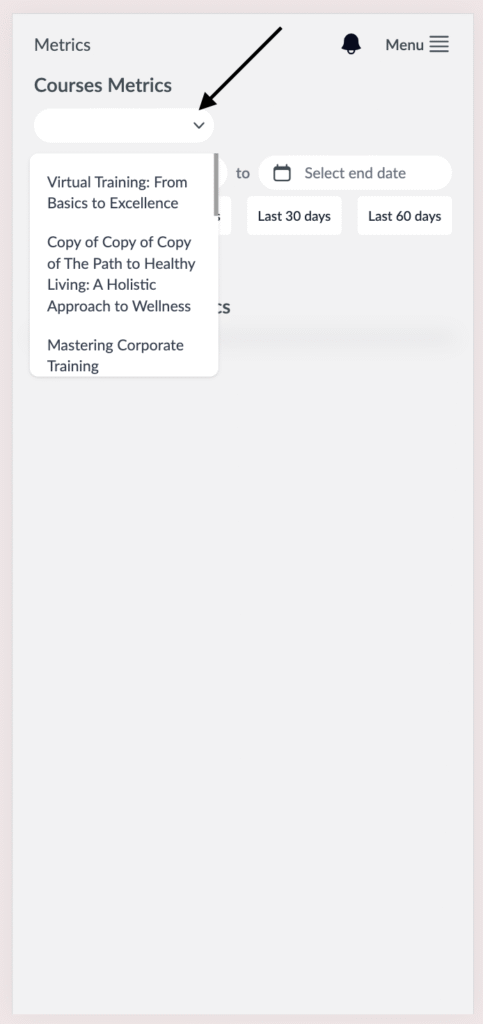
- Click on the Select Course Button and all your published Courses will be displayed.
- Select a Course you want to check metrics to.
Desktop View
Mobile View
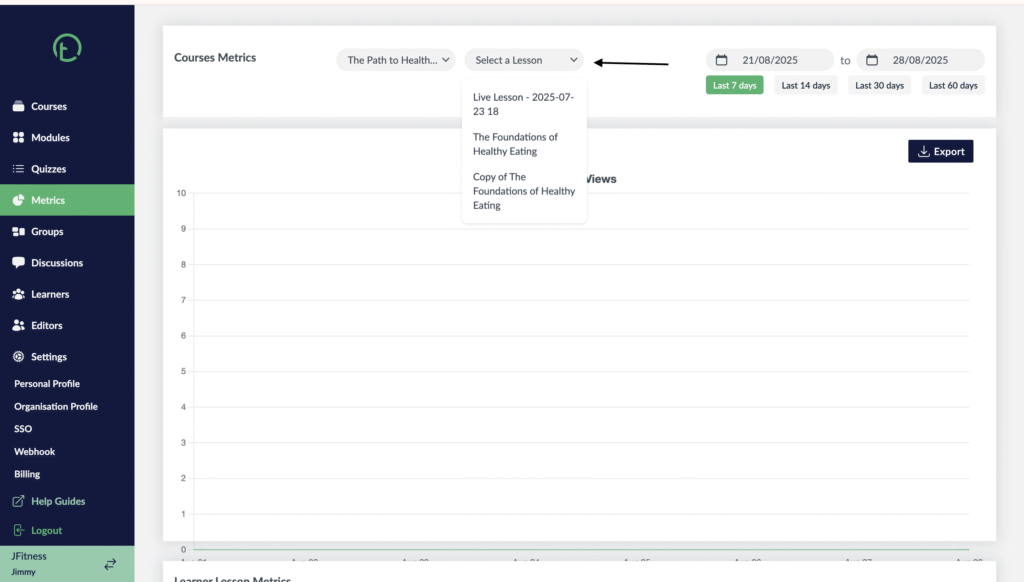
- Proceed to now select the lesson you want to check metrics to: You will get a dropdown to choose from.
Desktop View
Mobile View

- Click on the button to receive a .xlsx spreadsheet that captures the data you were viewing and filtered for.
Desktop View

Mobile View