- Visit the Creator platform On your Phone/Tablet and on Desktop/Laptop and Login.
- Navigate to the metrics page.
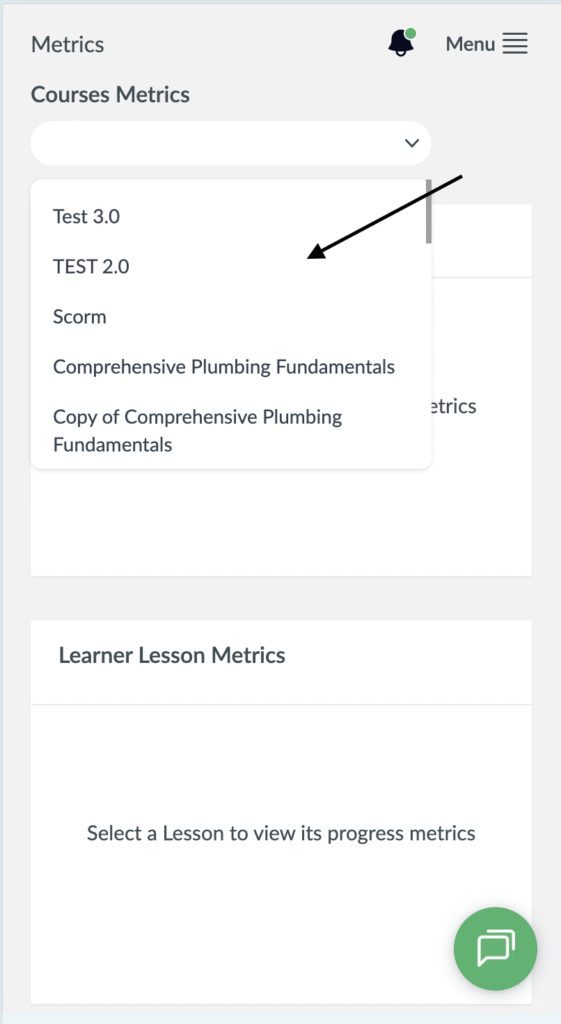
- Select a Scorm Course from the Courses Metrics dropdown.
Desktop View

Mobile View
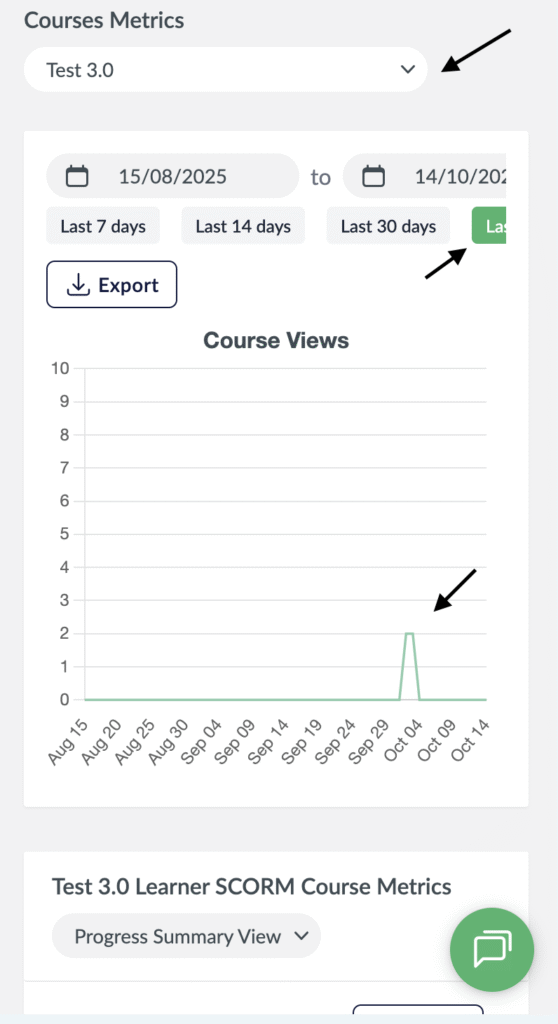
- You will see the Course Views Chart populated.
- You can filter with timeframe you want.
Desktop View

Mobile View
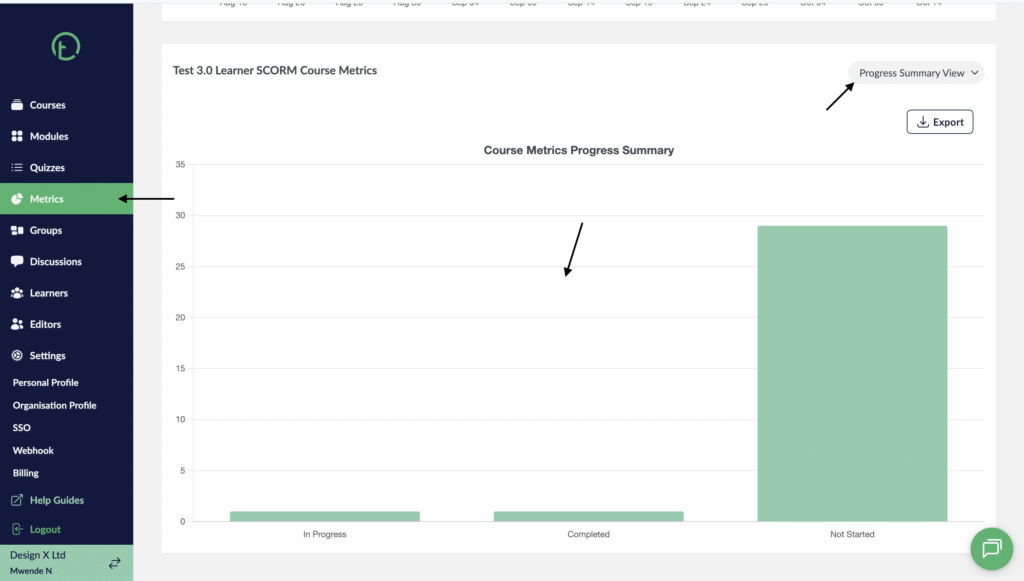
- Scroll to the Course Metrics Progress Summary where you will see the Progressive Summary View as the default view.
- This displays a bar graph that shows the In progress, Completed and not Started.
Desktop View
Mobile View

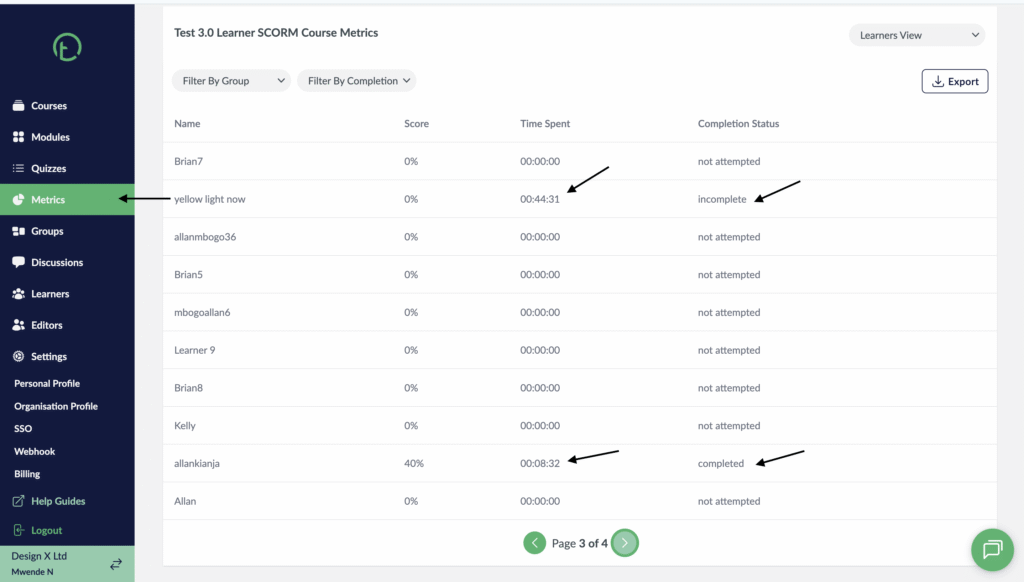
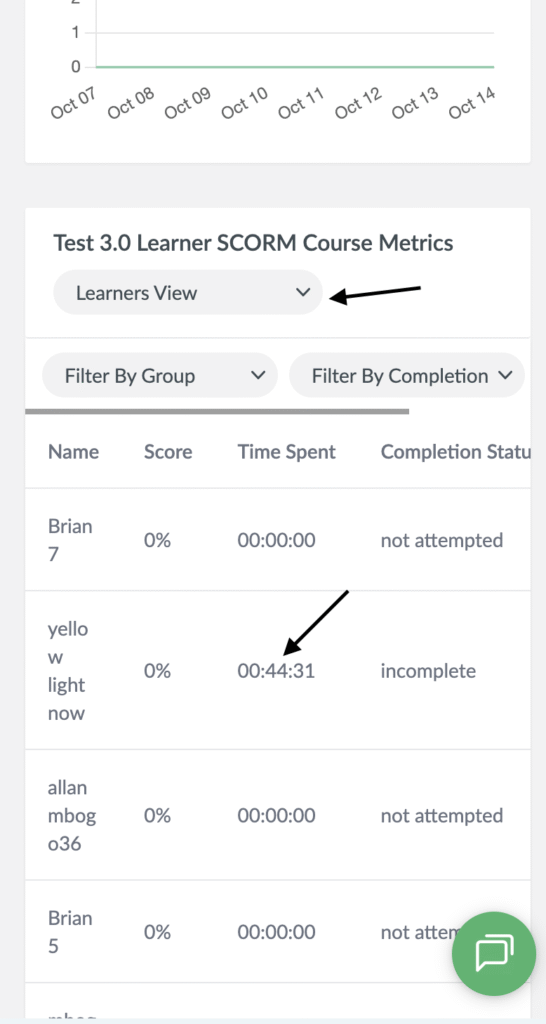
- To switch to the learner view, click on the dropdown and select learner view.
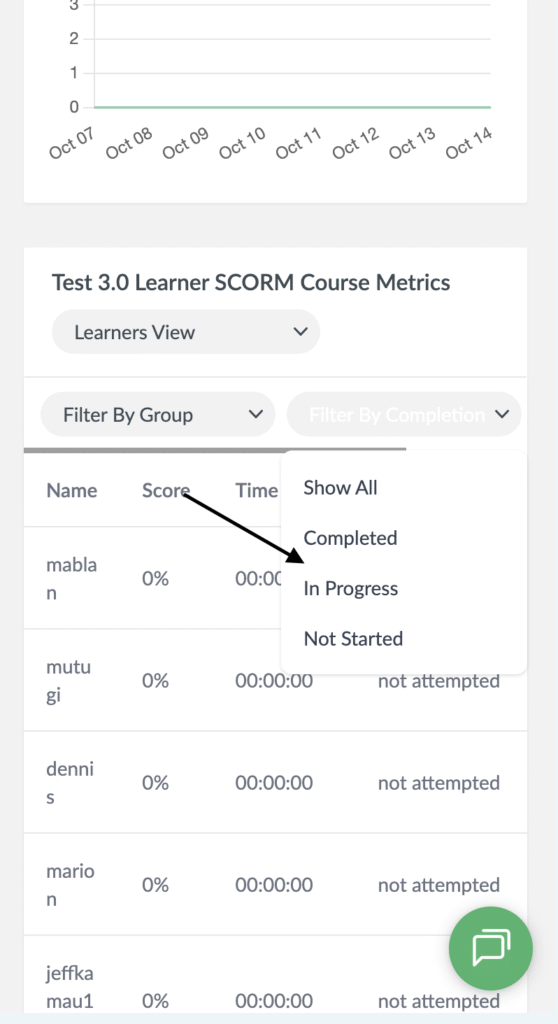
- You will see all your learners listed there in a table with columns for name, score, time spent and Completion Status.
Desktop View
Mobile View
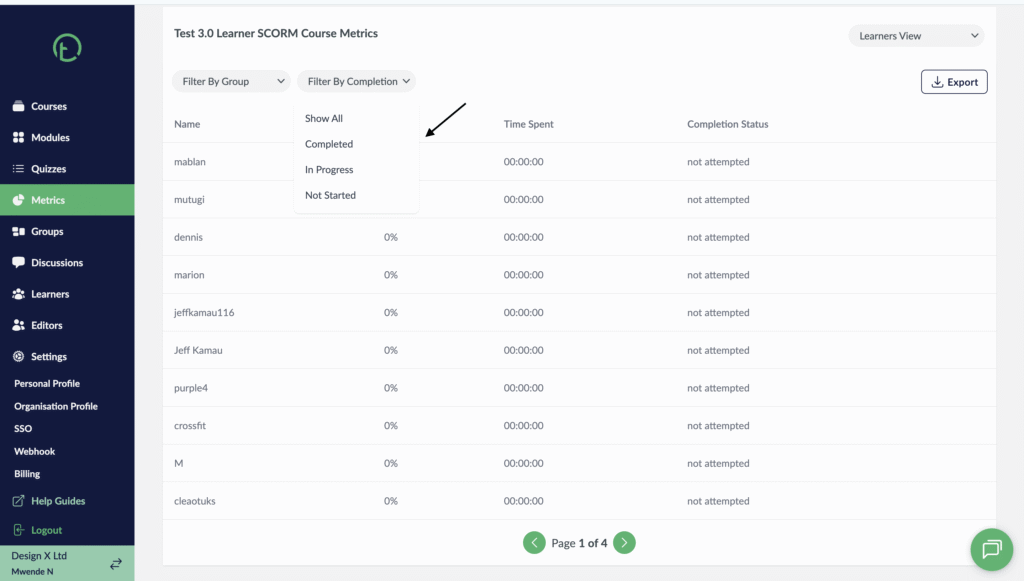
- You can also filter by Group or by Completion, this basically allows you to track based on the completions status. Could be not started, completed or in progress.
Desktop View
Mobile View