
- Visit the Creator platform On your Phone/Tablet and on Desktop/Laptop and login.
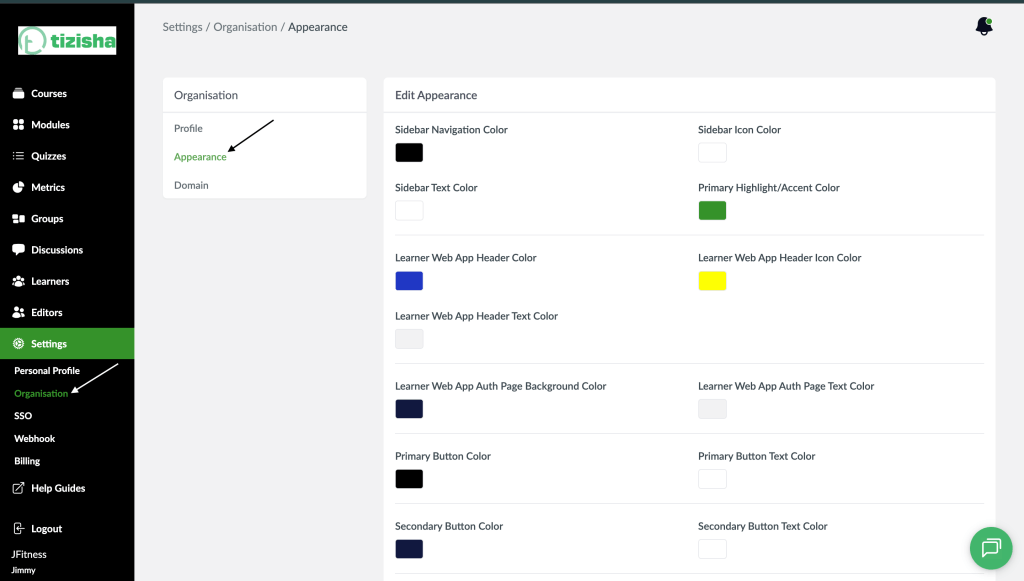
- On the sidebar, navigate to the Organizations section under settings.
- By default you will notice you will be redirected to the “Profile” tab. Switch to “Appearance”
Desktop View
Mobile View

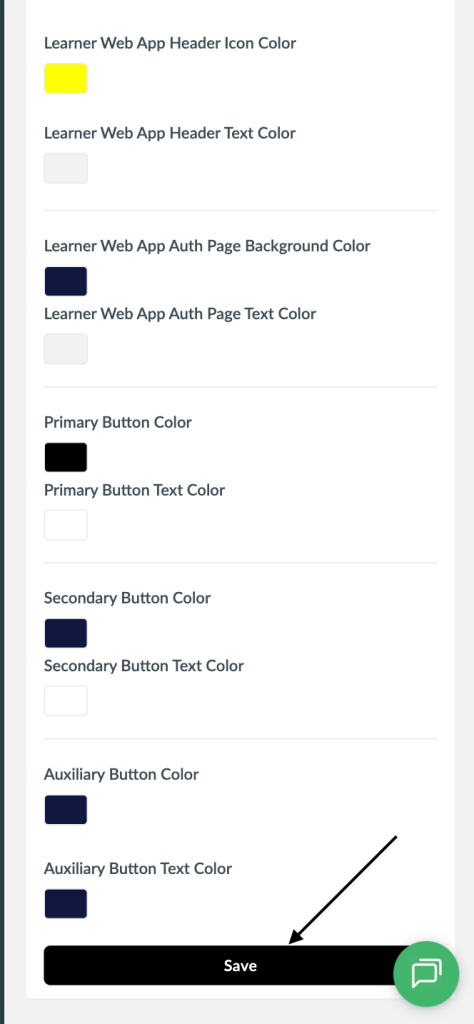
- You will see settings specified on where colors related to appearance of the platform can be specified.
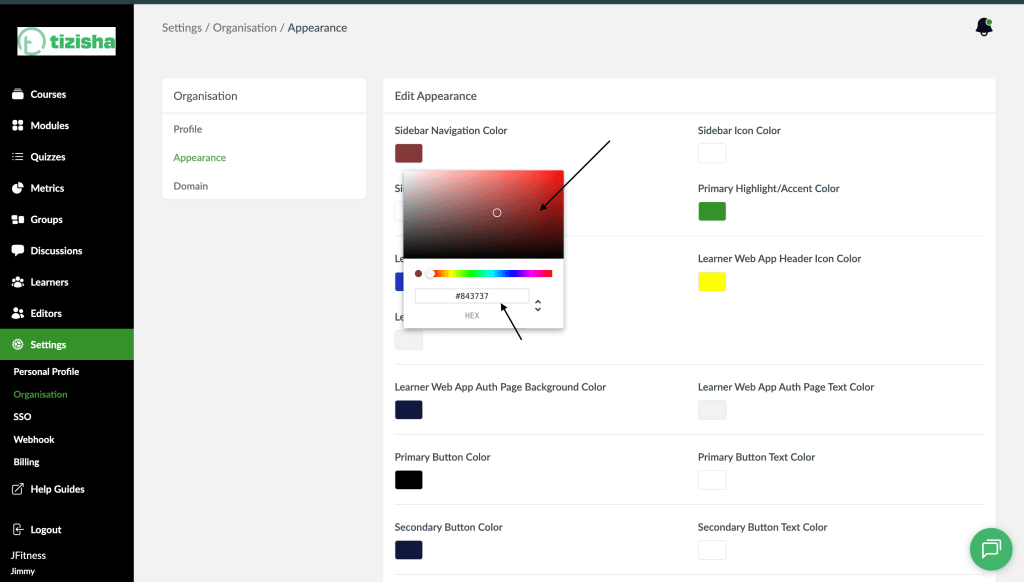
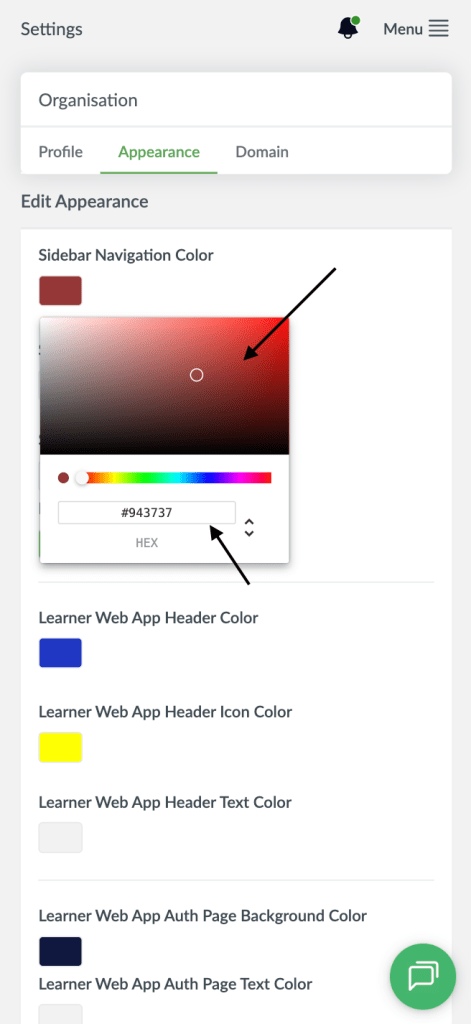
- Click on any color to reveal a color picker and select a color.
- You can drag your cursor on the color picker around to select a color of your choice.
Desktop View
Mobile View
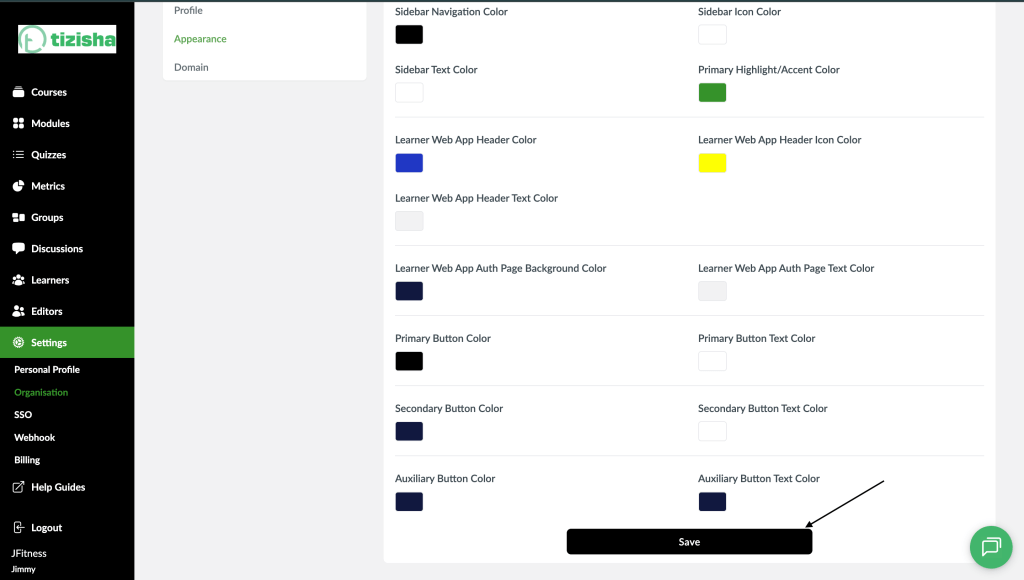
- After changing colors for the sidebar and the Buttons Click on the “Save” button.
Desktop View
Mobile View
- Navigate across some of the creator platform pages such as metrics and courses to see the changes take effect.