
- Visit the Creator platform On your Phone/Tablet and on Desktop/Laptop and login.
- Navigate to the courses section on the sidebar.
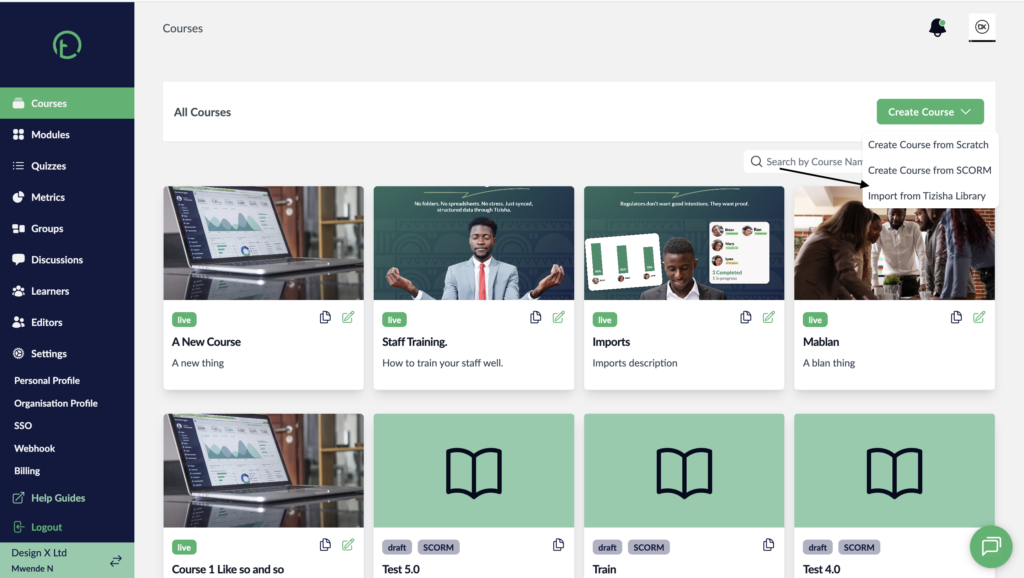
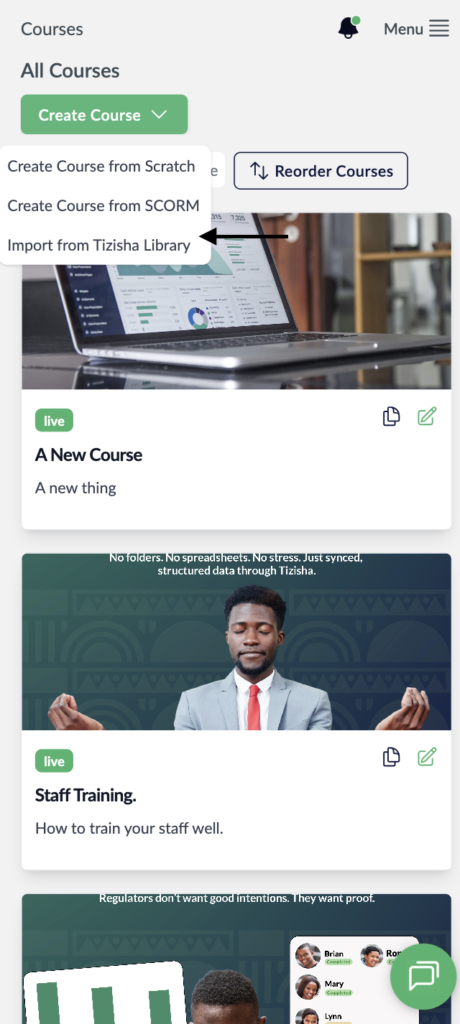
- Click on the “create course” dropdown on the right side of your screen.
- Select the “Import from Tizisha Library” option
Desktop View
Mobile View
- You will see two tabs “Export Course” and “Import Courses”
- Just below the “Export Course” tab, you will see a dropdown labelled “Filter by Category”. Click on it to display all the available categories.
Desktop View

Mobile View
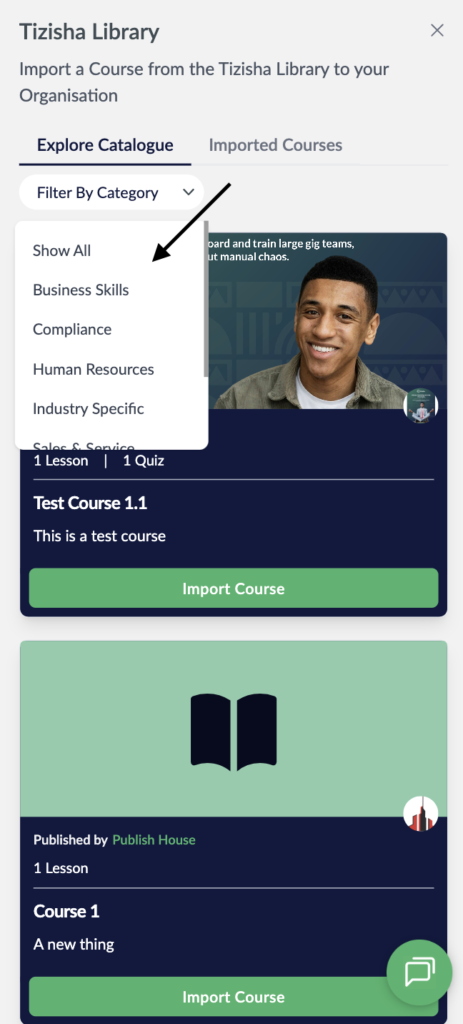
- When you click on a category all the course in that category will be listed and you can proceed to import.