
- Visit the Creator platform On your Phone/Tablet and on Desktop/Laptop and login.
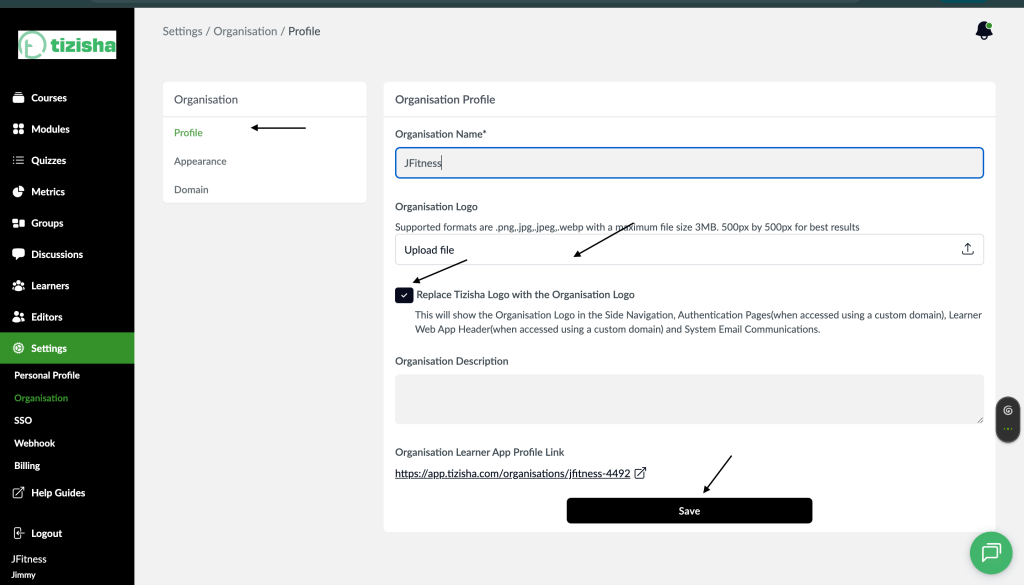
- On the sidebar navigate to the Organizations section under settings.
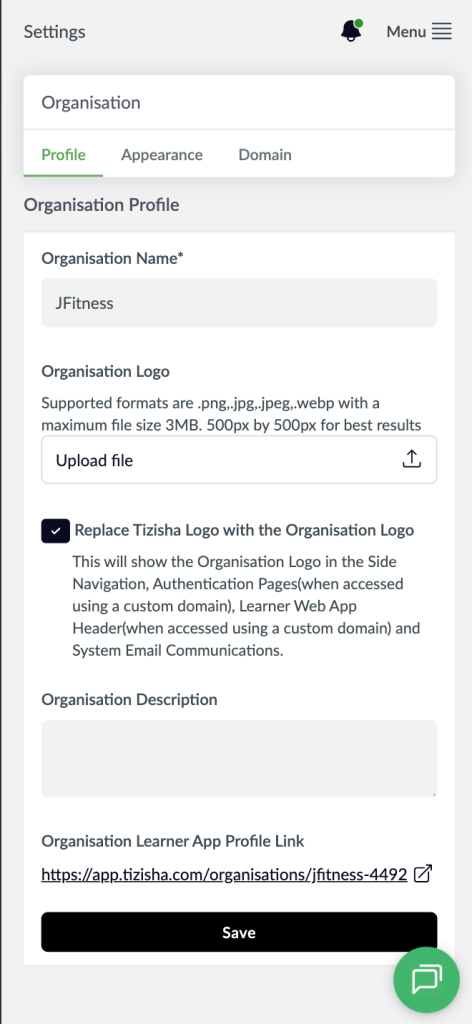
- This will redirect you to “Profile” sub navigation of the Organization.
- Here you will see a section to upload your logo. Make sure to upload it first.
- You now then proceed to the radio button with the text labelled “Replace Tizisha Logo with the Organisation Logo”. This will show the Organization Logo in the Side Navigation, Authentication Pages, Learner Web App Header and System Email Communications. (Please note that for these changes to take effect on both the Learner Web App Header and Authentication Pages, you have to be using a custom Domain).
Desktop View
Mobile View
- If the organisation logo was already uploaded, it should appear as the default in the Side Navigation, Authentication Pages(when accessed using a custom domain), Learner Web App Header(when accessed using a custom domain) and System Email Communications.