
This feature enables editors to send out announcements to the relevant learners based on the training material.
- Visit the Creator platform On your Phone/Tablet and on Desktop/Laptop and Login.
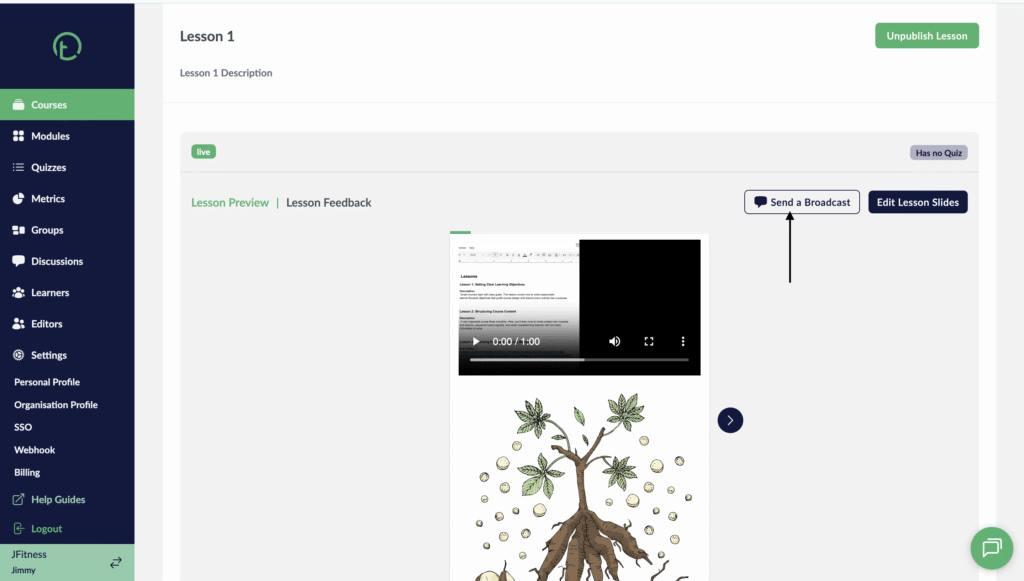
- Navigate to the lesson preview page of any Course.
Desktop View
Mobile View
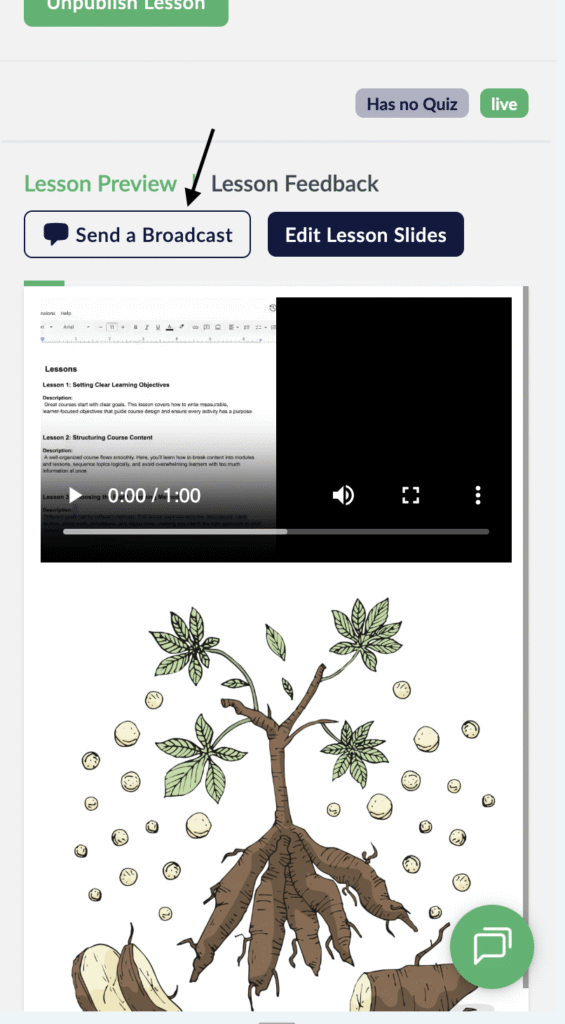
- Make your lessons are published and the lesson slides are visible to the learners.
- Click on the “Send a Broadcast” button.
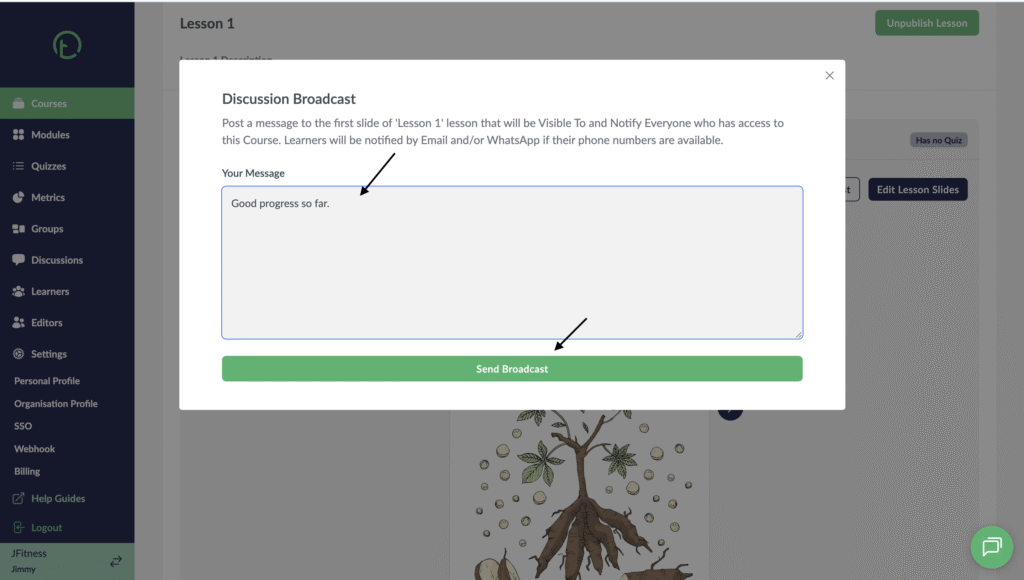
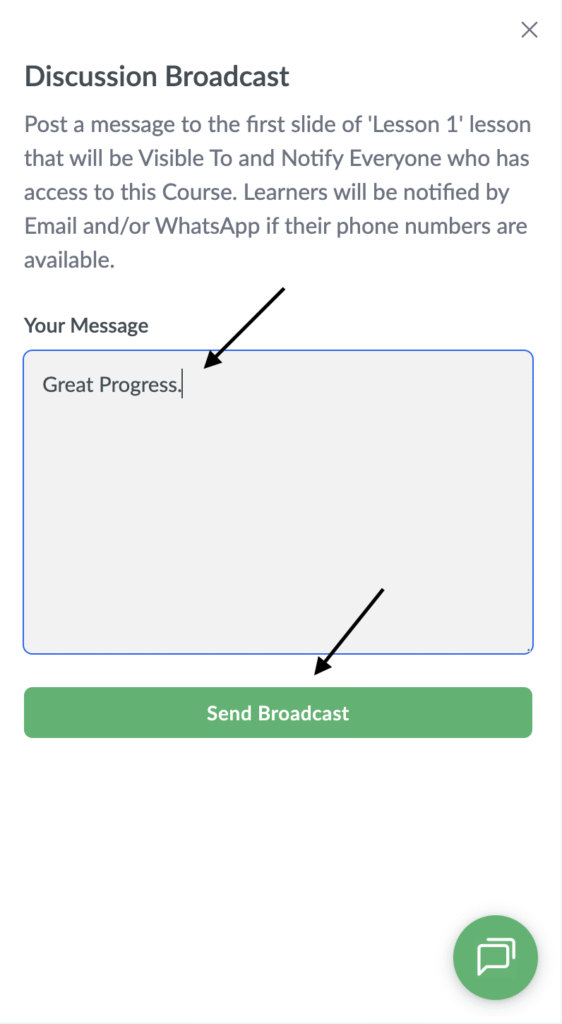
- You will get a pop up with an input field, add your text and click “Send Broadcast”
Desktop View
Mobile View
- Your learners will receive email communication and whatsapp messages as well for those who have verified WhatsApp numbers.
- The broadcast text will be linked to the first slide of the lesson.